AI Image Upscaling — Offline, 2× / 3× / 4×
Enlarge images without the blocky pixelation of plain stretching, entirely on your own machine. MiniMax Converter ships Real-ESRGAN with two presets: a photo model for real-world pictures and an anime model for line-art / illustration. GPU-accelerated via Vulkan where available; CPU fallback for anything else.
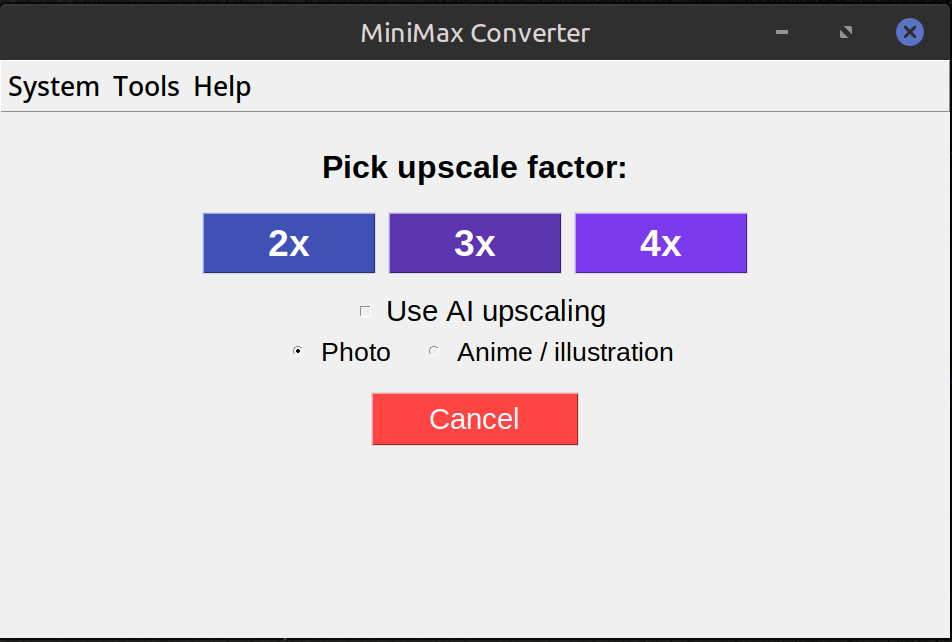
How it works
Real-ESRGAN is a trained convolutional neural network that has seen millions of low-and-high resolution image pairs. Instead of interpolating, it predicts what the missing pixels should look like. The result is dramatically sharper than bicubic / Lanczos scaling — text stays crisp, edges stay clean, fine detail is hallucinated plausibly.
How to upscale
- Drop an image (or folder of images) onto MiniMax Converter.
- Pick AI Upscale from the conversion options.
- Choose your scale (2×, 3×, 4×) and your preset (Photo or Anime).
- On first run the appropriate Real-ESRGAN-ncnn-vulkan binary downloads (~50 MB). After that, everything runs locally.
Performance
GPU upscaling is fast — a 1080p → 4K Real-ESRGAN pass takes a few seconds on a discrete NVIDIA / AMD card. CPU mode works but takes minutes per image. For batch jobs, leave it running in the background; the app processes files in parallel.
Questions and answers
Photo or Anime — which preset?
Photo for real-world photographs (people, landscapes, products). Anime for illustration, line art, cartoons, screenshots of stylised content. Picking the wrong one usually still works but looks slightly off.
Does it run on integrated graphics?
If your integrated GPU supports Vulkan (most do — Intel UHD/Iris, AMD Radeon, Apple Silicon), yes. Otherwise it falls back to CPU.
Output quality vs Topaz Gigapixel or upscale.media?
Real-ESRGAN is open-source and runs locally — quality is competitive with paid services for most use cases, and you keep the file on your machine.
Can I upscale every frame of a video?
Not in one step — the app upscales still images. For video, extract frames first via the Video More → Extract frame batch tool.
Related tools
Get MiniMax Converter
Cross-platform desktop app. Linux free for non-commercial use; Windows & macOS one-time €20 license. No subscription, no telemetry, no account.