JSON Formatter, Validator + Minifier
Paste any JSON — even malformed — and MiniMax Converter formats it with proper indentation, highlights syntax errors at the exact line/column, and gives you a collapsible tree view for huge nested structures. Minify it for production; pretty-print for debugging. Validates against strict JSON or JSON5 (with comments + trailing commas).
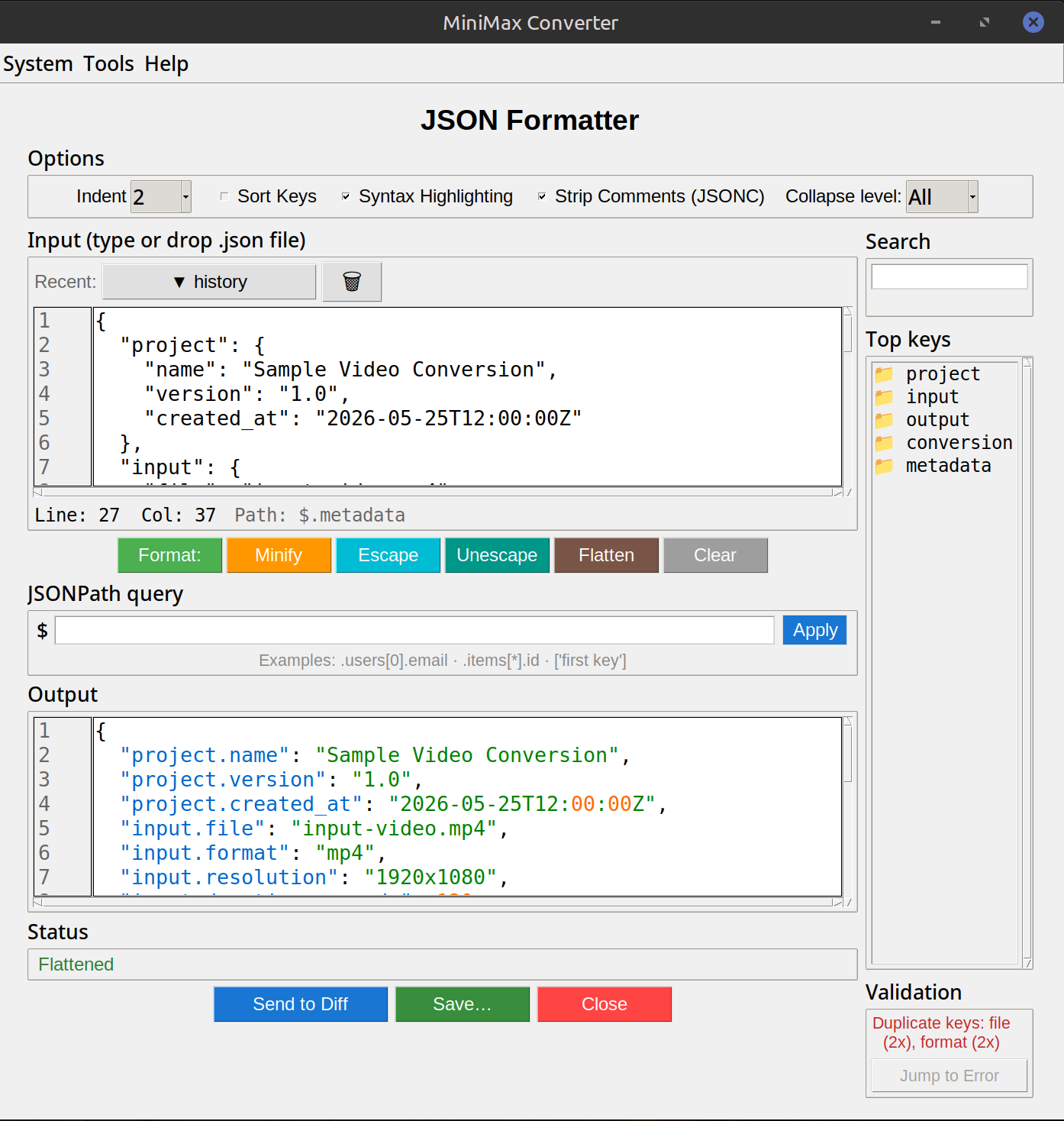
What it does
Pretty-print: 2-space, 4-space, or tab indent. Sort keys alphabetically (optional). Minify: strip all whitespace for production payloads. Validate: red squiggle + exact line/column on errors (missing comma, unquoted key, trailing comma, etc.). Tree view: expand/collapse nested objects + arrays — invaluable for 10MB API responses where pretty-print scrolls forever. Convert: JSON → YAML, JSON → TOML, JSON → CSV (for array-of-objects).
How to use it
- Open Tools → Convert & Format → JSON formatter.
- Paste JSON (or drop a .json file).
- Pretty-print is automatic. Click Tree view to switch to collapsible.
- Errors appear inline with line/column markers. Click an error to jump to that location.
- Use the Minify button to strip whitespace; Copy to copy the result.
JSON5 mode for forgiving parsing
Strict JSON disallows comments, trailing commas, and single quotes. JSON5 allows all three. Useful when you're editing a config file that's "JSON-ish" or processing a malformed API response. Toggle JSON5 mode in the settings; the validator will accept the extensions and the minifier converts back to strict JSON for output.
Questions and answers
How big a JSON can it handle?
Limited by RAM. 100 MB JSON loads + formats fine on any modern machine. Multi-gigabyte logs are better processed line-by-line with jq from the command line.
Can I validate against a JSON Schema?
Yes — there's a separate "Validate against schema" mode where you paste both the JSON and the schema; errors point at exact path locations.
JSON to CSV — when does that work?
Only for array-of-objects where the keys are consistent. E.g. [{"name":"A","x":1},{"name":"B","x":2}] → 2-column CSV. Nested objects need flattening first.
Why pretty-print 2-space vs 4-space?
Convention varies by team. JSON specification doesn't mandate. 2-space saves vertical space; 4-space is more readable for deeply nested. The tool defaults to 2-space.
Related tools
Get MiniMax Converter
Cross-platform desktop app. Linux free for non-commercial use; Windows & macOS one-time €20 license. No subscription, no telemetry, no account.