Cron Expression Generator + Explainer
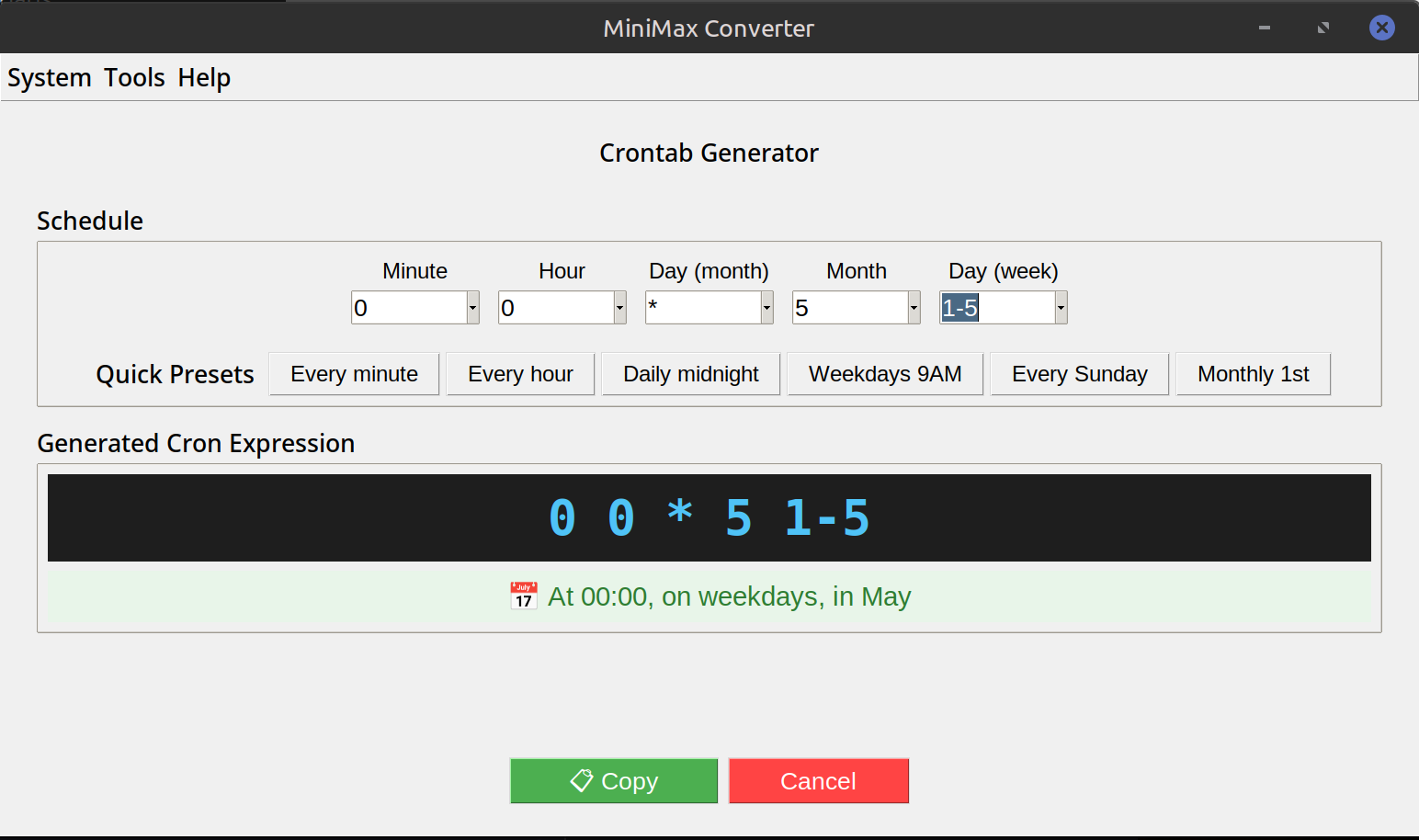
Cron syntax is famously cryptic — 0 */6 * * 1-5 means what exactly? MiniMax Converter's crontab generator works both ways: paste an existing expression and get a plain-English explanation plus the next 5 firing times, or build a new one with sliders/dropdowns for minute / hour / day / month / weekday. Output is copy-ready for crontab or as a systemd-timer OnCalendar.
How crontab fields work
Five space-separated fields: minute (0-59), hour (0-23), day of month (1-31), month (1-12), day of week (0-7, Sun=0 or 7). Special chars: * = any, */N = every N, A-B = range, A,B,C = list. So 0 */6 * * 1-5 = at minute 0, every 6 hours, every day of the month, every month, Monday through Friday.
How to use it
- Open Tools → System → Crontab generator.
- To explain: paste an existing expression. Plain-English breakdown and next 5 fire times appear.
- To build: use the visual builder — pick "every minute / hour / day", or set specific values for each field. Live preview of the expression.
- Copy as crontab (5-field) or as systemd OnCalendar.
- Validate: pasted expressions are syntax-checked; common mistakes (like using day-of-month AND day-of-week together) are flagged.
Common patterns + the gotcha
Every hour: 0 * * * * (minute 0 of every hour). Daily at 03:30: 30 3 * * *. Weekdays at 9 AM: 0 9 * * 1-5. The gotcha: if you set BOTH day-of-month and day-of-week, cron runs when EITHER matches (OR, not AND). To do "the 1st of every month if it's a Monday", you need a wrapper script that checks weekday at runtime.
Questions and answers
Vixie cron vs systemd timers?
Functionally similar. Crontab is older, ubiquitous on Unix. systemd timers are newer, more flexible (run on boot, after another service, etc.), and the format is more readable. Use crontab for portability, systemd for new Linux systems.
What about seconds?
Standard cron has minute resolution. Some non-standard variants (Quartz, AWS EventBridge) support seconds. The tool defaults to standard 5-field; switch to 6-field if you need seconds.
My job runs in the wrong timezone — why?
cron uses the system timezone unless overridden with TZ=Europe/London at the top of the crontab file. Schedule appears in local time of the host running cron.
How do I test a cron schedule without waiting?
Use the "next 5 fires" output. For deep testing, set the schedule to run in 2 minutes, verify, then adjust.
Related tools
Get MiniMax Converter
Cross-platform desktop app. Linux free for non-commercial use; Windows & macOS one-time €20 license. No subscription, no telemetry, no account.