Linux Permissions Calculator — rwx, Octal, chmod
Linux file permissions are nine bits in two notations: symbolic (rwxr-xr-x) and octal (755). Plus three special bits (setuid, setgid, sticky). MiniMax Converter's calculator lets you toggle checkboxes and see the result in both notations + a ready-to-paste chmod command. Useful for "what does mode 0644 mean?" or "what permissions should this file have?"
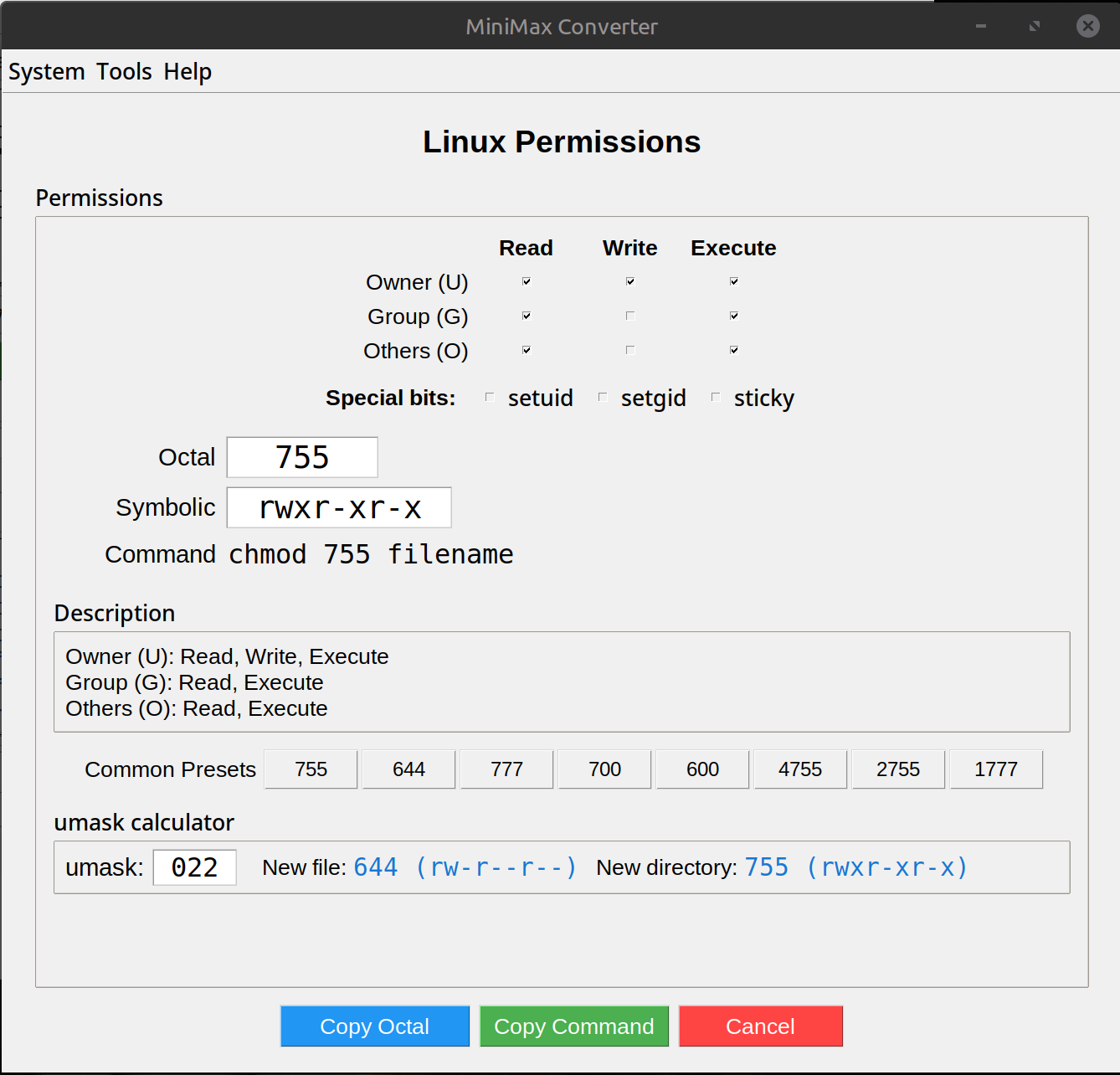
How Linux permissions work
Three permission types: read, write, execute. Three principals: owner, group, others. So nine bits total. Octal compresses each group into one digit: r=4, w=2, x=1, so rwx=7, r-x=5, r--=4. The classic 755 means: owner can do everything (7), group + others can read + execute (5+5). The classic 644 means: owner read + write (6), others read-only (4+4).
How to use it
- Open Tools → System → Linux permissions.
- Tick the boxes for owner / group / others — read, write, execute.
- Watch the symbolic + octal forms update live.
- For special bits: setuid (run as owner), setgid (run as group), sticky (only owner can delete from a shared directory) — tick those checkboxes too.
- Copy the
chmod 755 filecommand (or symbolicchmod u+rwx,g+rx,o+rx).
Common modes
755 — executables, public scripts (everyone can run + read, only owner can write). 644 — regular files (owner can edit, everyone can read). 700 — private files (only owner). 600 — private credentials (e.g. SSH keys — anything else and SSH refuses). 777 — never. If you need this, your design is wrong.
Questions and answers
When do I need setuid / setgid?
setuid: when a non-root user needs to run a program with elevated privileges (e.g. sudo, passwd). Avoid setting on your own programs unless you understand the security implications. setgid on a directory: new files inherit the directory's group. Useful for shared team folders.
Why do my SSH keys complain about permissions?
SSH refuses to use keys readable by anyone but you. chmod 600 ~/.ssh/id_* fixes it. The calculator can verify what mode you currently have.
Does this work for macOS?
Yes — Unix permissions are identical on macOS, Linux, BSD. Plus macOS has ACLs on top, but those are separate.
What about umask?
umask is the inverse — bits subtracted from default permissions for new files. The calculator shows what mode a file gets given a current umask.
Related tools
Get MiniMax Converter
Cross-platform desktop app. Linux free for non-commercial use; Windows & macOS one-time €20 license. No subscription, no telemetry, no account.