QR Code Generator — Every Type, Offline
Generate QR codes for any content — plain text, URLs, WiFi credentials, vCard contacts, email links, SMS messages, or geographic coordinates. Pick a template, fill in the fields, and MiniMax Converter exports a high-resolution PNG or scalable SVG. No "free QR generator created this" footer, no upload, no tracking parameters injected into your URLs.
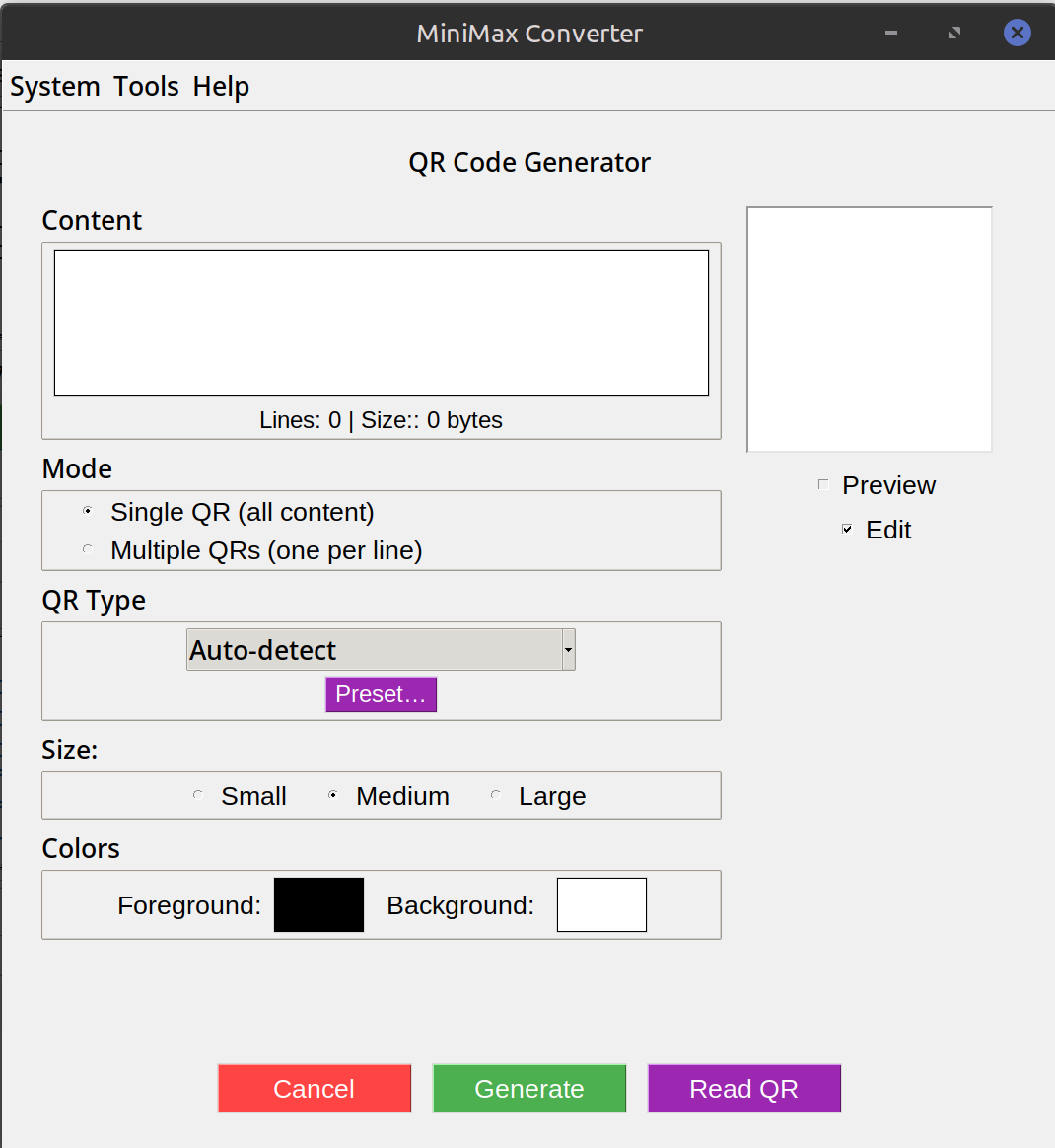
Template types — what each does
Plain text: any string scanned shows the text. URL: scanned, opens in browser. WiFi: scanned, the phone offers to join the network — saves typing the password. vCard: scanned, phone offers to add the contact. Email: scanned, opens mail app with To / Subject / Body pre-filled. SMS: scanned, opens SMS with recipient + body pre-filled. Geo: scanned, opens map app at the coordinates.
How to use it
- Open Tools → Create & Generate → QR Codes → Generate QR (or any specific template).
- Pick a template if not already on it.
- Fill in the fields. Preview updates live.
- Adjust error correction (L 7% / M 15% / Q 25% / H 30% — higher tolerates more damage but adds density).
- Save as PNG (any resolution) or SVG (vector, scales infinitely).
Best practices
Print size: at least 2x2 cm for short content, larger for long. Phones scan reliably at 30 cm from a 5x5 cm QR. Contrast: dark code on light background. Inverted (light on dark) works on most modern scanners but not on older ones. Error correction: H (30%) if printed on materials that may scratch / fade; L (7%) if pristine and you need to fit more content.
Questions and answers
Can I add a logo to the centre?
Not in this tool — that's a post-processing step. Generate the QR with high error correction (Q or H), then overlay a logo (≤20% of QR area) in an image editor. The error correction lets the QR still scan despite the obscured centre.
How much text can a QR hold?
Up to ~4,000 alphanumeric characters at the largest version with lowest error correction. The preview shows you the version + bytes used.
Does the WiFi QR work on iOS and Android?
Yes — both iOS Camera (since iOS 11) and Android Camera scan WiFi QRs natively and offer to join the network.
PNG or SVG?
PNG: simple, fixed size, works everywhere. SVG: vector, scales to any size without pixelation — best for print or website use.
Related tools
Get MiniMax Converter
Cross-platform desktop app. Linux free for non-commercial use; Windows & macOS one-time €20 license. No subscription, no telemetry, no account.