Convert PDF to DOCX — Offline, Editable Output
Drop a PDF onto MiniMax Converter and get an editable Word document in seconds. Text, headings, paragraphs, basic tables, and embedded images all come through. Works on any size PDF, batch-processes folders, and runs locally — no upload, no watermark, no monthly conversion cap.
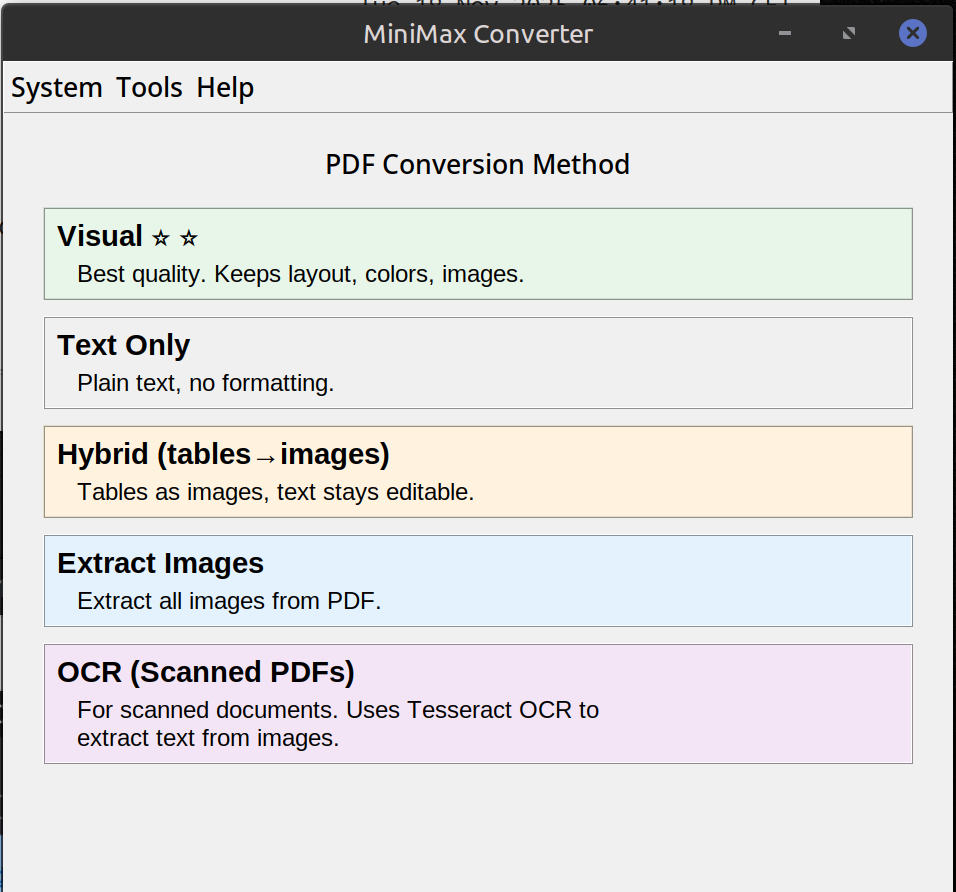
How to convert
- Drop one or more PDF files onto MiniMax Converter.
- Pick DOCX from the format chooser.
- Save. The DOCX lands next to the source. Open in Word, LibreOffice Writer, Pages, Google Docs, anywhere DOCX is supported.
Scanned PDFs need OCR first
If your PDF is a scanned image of text (the kind where you can't select text in a viewer), there are no actual characters to convert. Run OCR PDF from the Document More menu first — it adds a text layer via Tesseract — then convert that to DOCX.
What carries over (and what doesn't)
Carries over: text content, paragraph structure, headings + font sizes (approximately), tables, embedded images, bullet/numbered lists, basic bold/italic. Doesn't carry over reliably: pixel-perfect layout, complex multi-column magazine layouts, footnotes with side-rendered numbering, decorative font choices.
Questions and answers
How does it compare to Adobe Acrobat's Export to Word?
Comparable for most plain documents. Acrobat is slightly better on heavily-styled or multi-column layouts. MiniMax is free of subscription, offline, and unlimited.
Can I batch-convert a folder of PDFs?
Yes — drop the folder, the dispatcher offers a "Convert N documents" button. Each PDF becomes a DOCX next to it.
What about ODT (LibreOffice) instead?
Same flow — pick ODT from the format chooser.
Will my forms / signatures survive?
Interactive form fields don't survive PDF→DOCX (different layout model). Signature images survive as images.
Related tools
Get MiniMax Converter
Cross-platform desktop app. Linux free for non-commercial use; Windows & macOS one-time €20 license. No subscription, no telemetry, no account.