EBU R128 Audio Loudness Analyzer
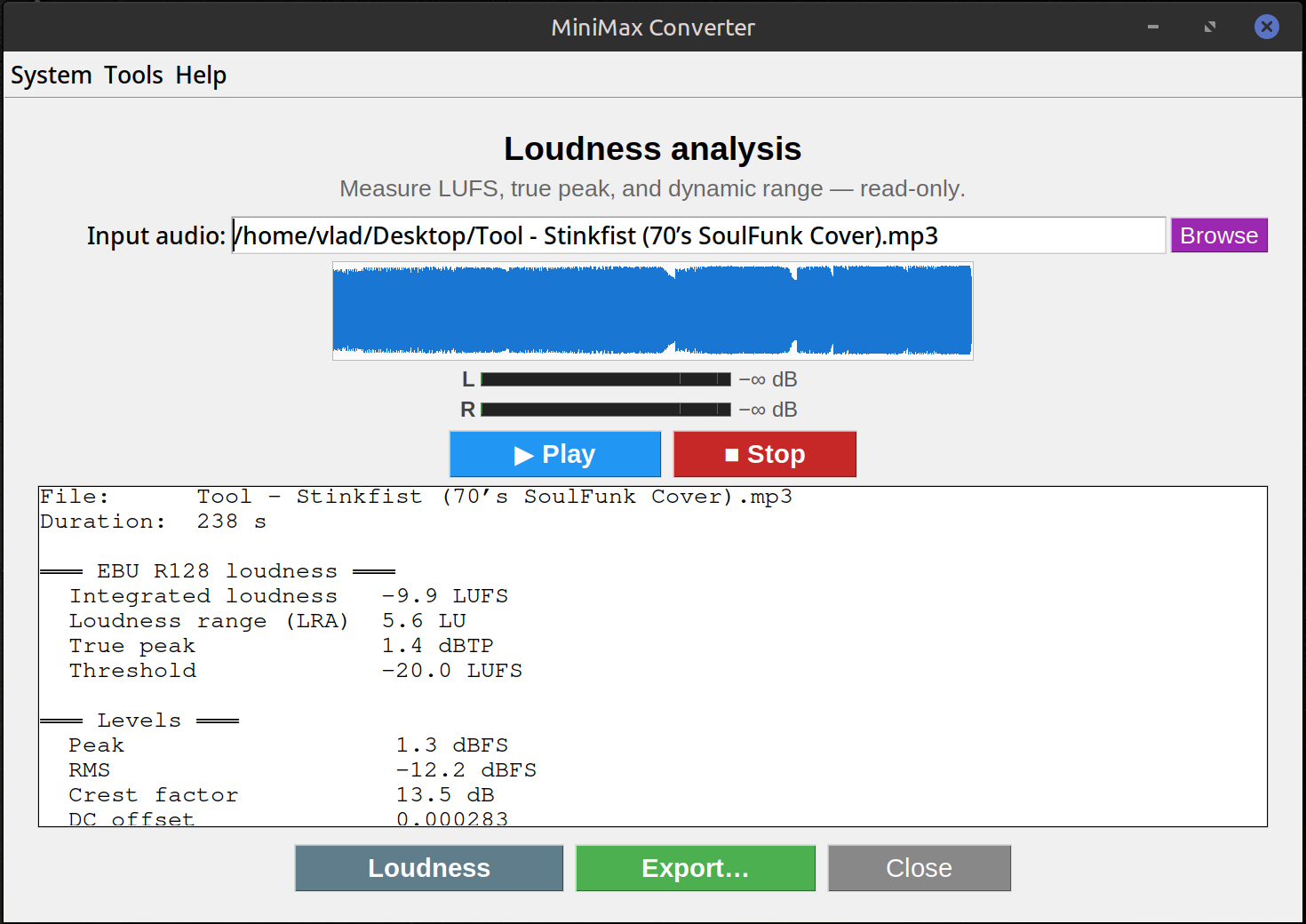
Drop any audio file into MiniMax Converter's Loudness screen and get the full EBU R128 readout (integrated LUFS, short-term, momentary, loudness range, true peak), plus astats (DC offset, dynamic range, RMS), silencedetect, stereo correlation, spectral centroid, and a mono-compat check — all in one pass. Export the report as TXT or JSON.
What it measures
EBU R128: Integrated loudness (overall LUFS for the whole file), short-term (3 s window), momentary (400 ms), loudness range (LRA), true peak (dBTP — accounts for inter-sample peaks). astats: RMS, peak, DC offset, dynamic range, crest factor. silencedetect: all silent regions with timestamps. Stereo: L/R correlation, balance. Spectral: centroid (brightness). Mono compatibility: warns if the mix sums to mono badly (phase cancellation).
How to use it
- Drop an audio file onto Tools → Audio → Loudness analyzer.
- Wait for the analysis (typically a few seconds for a song-length file — runs everything in one ffmpeg pass).
- Read the report. Click Export to save as TXT or JSON for further processing.
Streaming compliance targets
Spotify normalises to -14 LUFS. Apple Music -16 LUFS. YouTube -14 LUFS. TV broadcast (EBU R128) -23 LUFS. The analyzer tells you your file's integrated LUFS so you know how far off you are; use Audio Normalize to bring it to a target.
Questions and answers
What's the difference between LUFS and dB?
LUFS (Loudness Units relative to Full Scale) accounts for human hearing's frequency response — same LUFS = same perceived loudness. dB is a raw signal measurement; two files at the same dB peak can sound very different.
Why offline?
No file upload limits, no API fees, no privacy concerns. Iterate on a master without re-uploading.
Can I batch-analyse multiple files?
Not from this screen — it shows one detailed report at a time. For batch loudness across many files, drop them on the conversion screen with Normalize ticked.
What format is the JSON export?
A flat dict with every measurement keyed by name (integrated_lufs, true_peak_dbtp, loudness_range, etc.). Easy to feed into a downstream script.
Related tools
Get MiniMax Converter
Cross-platform desktop app. Linux free for non-commercial use; Windows & macOS one-time €20 license. No subscription, no telemetry, no account.