Mix Multiple Audio Files With Crossfades
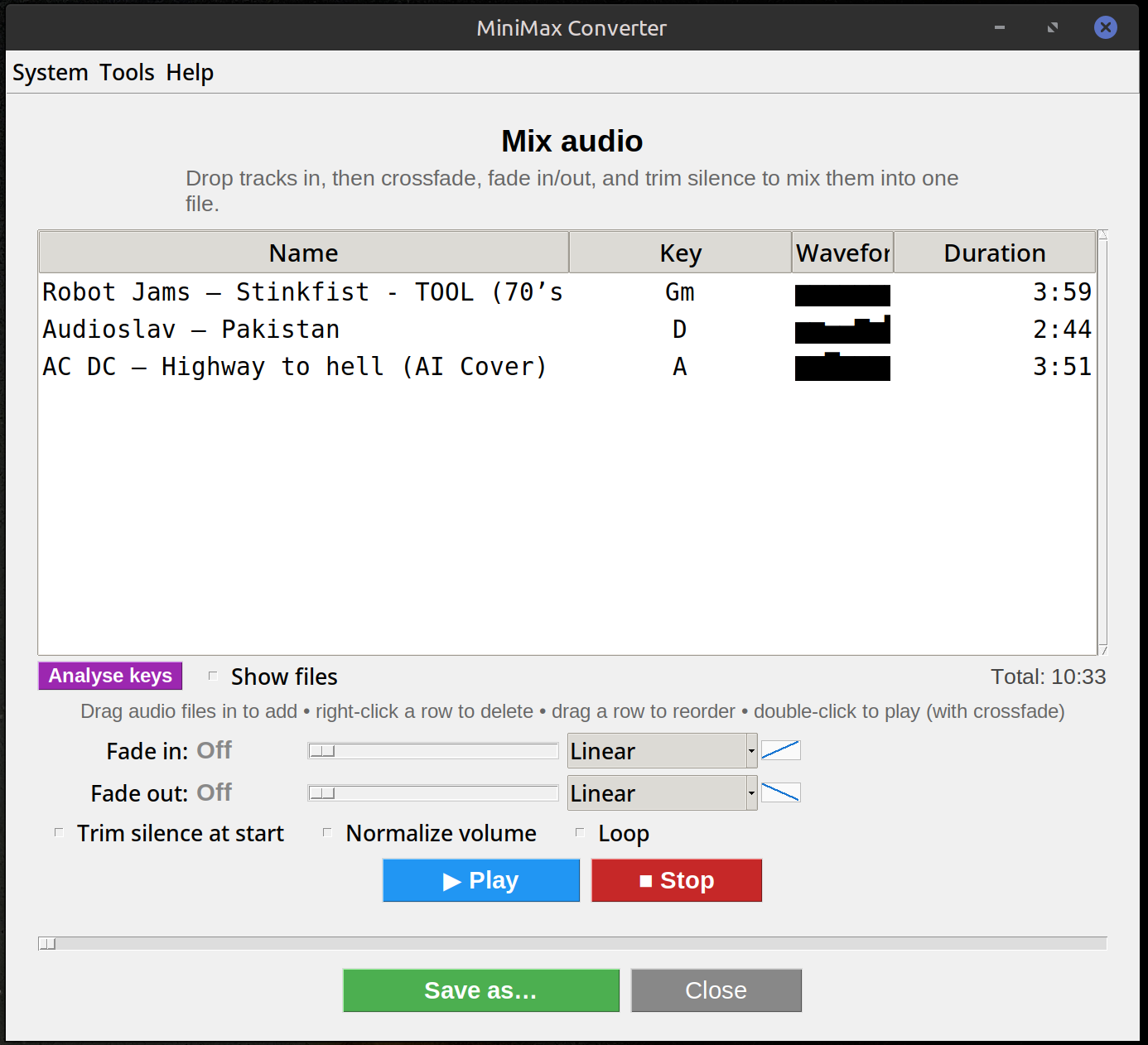
Drop a folder of songs into MiniMax Converter's Mix screen and the app lays them out as a resizable table — Name, Key, Waveform, Duration. Set independent fade-in / fade-out durations, optionally enable auto-crossfade as each track approaches its end. Save the result as a single mixed audio file in any common format.
What you can do
Drag-to-reorder. Per-track fade-in / fade-out curves (linear, exp, log, half-sine, …). Auto-crossfade so song B fades in as song A fades out, both ending together at song A's natural end. Loop mode for continuous play. Optional pre-mix loudness normalisation so the whole playlist plays back at consistent volume.
How to mix
- Drop one or more audio files (or a whole folder) onto the Mix screen.
- Optionally click Analyse keys to fill in each song's detected key + mini-waveform.
- Drag rows to reorder, double-click a song to play it.
- Set fade-in / fade-out durations + curves from the sliders below the playlist.
- Click Save as to render the whole mix to a chosen format (MP3, FLAC, WAV, OGG, M4A, OPUS, etc.).
Click-to-seek + playback cursor
Once a song's waveform is analysed, a vertical | cursor scrolls through it during playback. Click anywhere on the mini-waveform to seek to that point. Ctrl/Cmd + L locates the playing track in the list.
Questions and answers
Can I mix songs in different formats?
Yes — drop an mp3, a flac and an m4a together. The app decodes each to PCM during the mix and saves the result in whatever output format you pick.
How do auto-crossfades work?
When the currently playing track gets close to its end, the next track starts fading in at the same time the current one fades out — both end together at the source's natural end. Set the fade-in / fade-out durations independently.
Can I add a song from a URL?
Yes — right-click in the playlist → Add from URL. The app downloads the best audio via yt-dlp into your Downloads folder as VBR-V0 MP3 and appends it to the playlist.
Does it work offline?
Yes — except for the Add-from-URL feature, which obviously needs to contact the source site.
Related tools
Get MiniMax Converter
Cross-platform desktop app. Linux free for non-commercial use; Windows & macOS one-time €20 license. No subscription, no telemetry, no account.