Restore Old Cassette + Vinyl Audio Recordings
Drop a noisy cassette rip, vinyl transfer, or field recording into MiniMax Converter's Audio Restore screen, pick a preset, and the app cleans up hiss, mains hum (50 Hz EU / 60 Hz US plus harmonics), and restores a bit of lost treble in one pass. Real-time preview with A/B toggle, waveform display, sliders for fine control.
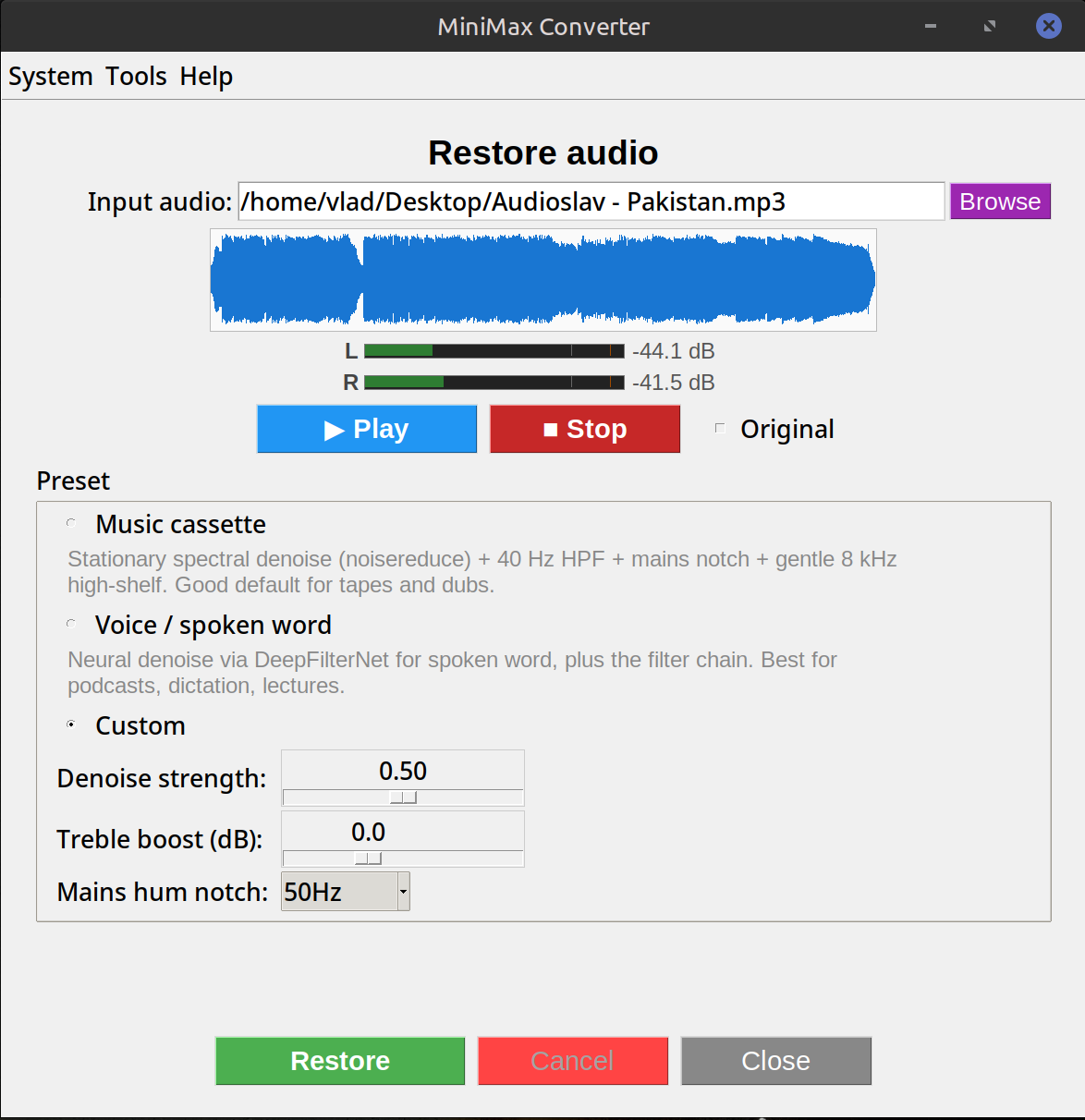
Presets included
Cassette / vinyl / field recording / voice / custom. Each preset is a starting point — you can tune the denoise strength, treble boost, and mains-hum notch (50 Hz, 60 Hz, off) from the Custom panel. Voice mode optionally routes through DeepFilterNet for stronger noise isolation when the model is present.
How to use it
- Drop your noisy audio file onto the app.
- Open Audio Restore from Tools → Audio.
- Pick a preset (cassette / vinyl / field recording / voice / custom).
- Click Play to preview live. Tick Original to A/B against the un-restored source.
- Save when happy — same format as the source, or Save as to convert.
What it does technically
Spectral noise reduction (noisereduce — frequency-domain gating against the noise profile) + a 4-band filter chain (notch for mains hum + harmonics, high-shelf for treble restoration). The voice preset can additionally run through DeepFilterNet (a small neural network trained for speech).
Questions and answers
Does it work on tape recordings of music?
Yes — the cassette preset is the right starting point. Heavy hiss reduction can dull cymbals; tune the denoise slider down if needed.
Will it remove crackle from vinyl?
For crackle/pops, use the separate Vinyl declick screen — it runs a different filter (adeclick) tuned for impulsive noise. Audio Restore handles continuous noise (hiss, hum); Vinyl declick handles transients (clicks, pops).
Why offline?
Restoration is iterative — you tweak, listen, tweak again. An online service would have you uploading the same 50 MB file ten times. Local is faster and your unreleased tape stays unreleased.
Can I batch-process a whole album?
Not from the Audio Restore screen directly. Process tracks one at a time; settings are remembered between sessions.
Related tools
Get MiniMax Converter
Cross-platform desktop app. Linux free for non-commercial use; Windows & macOS one-time €20 license. No subscription, no telemetry, no account.