Change Audio Pitch + Tempo — Independently or Together
Slow down a song without making it sound like a chipmunk on helium, or transpose a backing track up a fifth without changing its tempo. MiniMax Converter's Pitch / Tempo screen does both, independently. Or lock them together for vinyl-style speed change. Bonus: it auto-detects the song's key + BPM so the tempo slider centres on the actual beat.
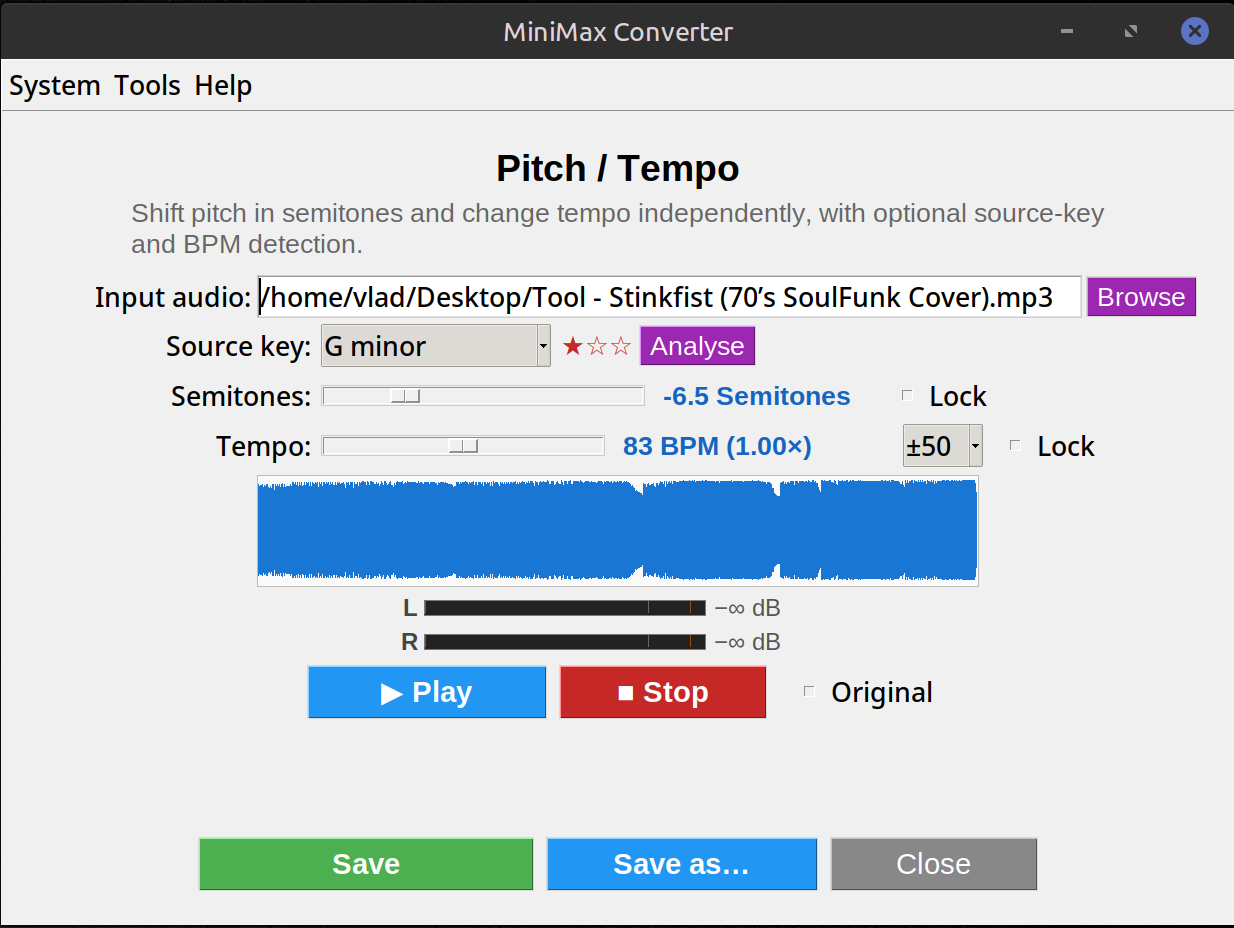
How it works
Pitch and tempo are independent by default — move the pitch slider and tempo stays the same; move the tempo slider and pitch stays the same. Each slider has a Lock tickbox that decouples its side from the other, so you can freeze one while playing with the other. Double-click either slider to reset both to neutral.
How to use it
- Drop an audio file onto Tools → Audio → Pitch / Tempo.
- Click Analyse to detect the song's key + BPM. The tempo slider re-centres on the detected BPM (with adjustable ±8 / ±16 / ±50 BPM window).
- Drag the semitone slider for pitch, the BPM slider for tempo.
- Click Play to preview live. Tick Original to A/B against the unprocessed source.
- Save when happy.
Use cases
Practicing along to a song in a non-guitar-friendly key (transpose down). Slowing a fast solo down to learn the licks without dropping it an octave. Matching tempo across DJ tracks. Adjusting the pitch of a backing track to suit a singer's range. Vintage tape / vinyl speed effects (lock both, drag tempo).
Questions and answers
Does it sound natural at extreme settings?
Mild changes (±3 semi, ±20% tempo) are essentially transparent. Beyond that you start to hear artefacts — characteristic of any time-stretch algorithm.
How accurate is the key + BPM detection?
BPM ±1 on percussive material 80–90% of the time. Key 70–80% on tonal music. Manual override is one click away.
What's the difference between this and Audacity's change-tempo?
Essentially the same algorithm (atempo + asetrate via ffmpeg, or Pedalboard's PitchShift). The GUI is friendlier and the live preview is fast.
Can I save the result in any format?
Yes — Save preserves the source format; Save as routes through the format picker (MP3, FLAC, WAV, OGG, M4A, OPUS, etc.).
Related tools
Get MiniMax Converter
Cross-platform desktop app. Linux free for non-commercial use; Windows & macOS one-time €20 license. No subscription, no telemetry, no account.