Compare Two Text Files — Visual Diff
Drop two text files (or paste two blocks of text) and MiniMax Converter shows them side-by-side with every difference highlighted — added lines in green, removed in red, modified with word-level highlighting on what changed within the line. Same as diff from the command line, but visual and immediately understandable.
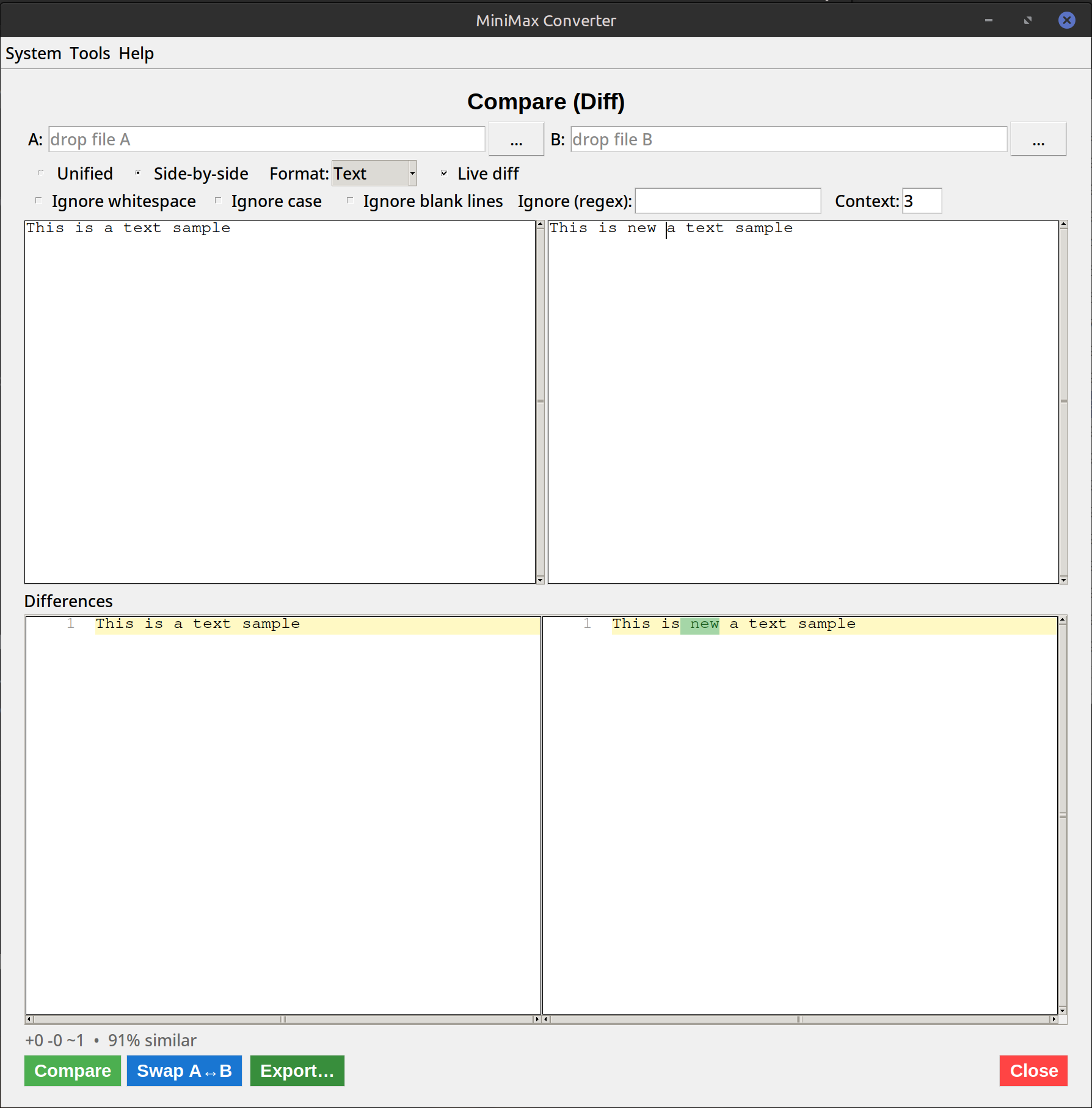
What you get
Side-by-side comparison: left = file A, right = file B, with matching lines aligned. Added lines (in B but not A) highlighted green. Removed lines (in A but not B) highlighted red. Modified lines highlighted yellow with word-level diff showing what changed within. Plus: line numbers, ignore-whitespace toggle, ignore-case toggle, syntax highlighting for common file types (JSON, XML, code).
How to use it
- Open Tools → Analyze & Inspect → Compare (Diff).
- Drop two text files, or paste content into the two text panels.
- Differences highlight automatically.
- Optionally tick Ignore whitespace (helpful when comparing reformatted code) or Ignore case.
- Export as unified diff (
.patch) for use withgit apply/patchcommands.
When to use it
Code review: compare two versions of a config file. Configuration debugging: server A works, server B doesn't — diff their configs. Document revision: see what changed in a contract draft. Log analysis: compare two log samples to spot anomalies. Pre-commit review: see exactly what your edit changed.
Questions and answers
How big a file can it diff?
Files up to ~100 MB diff in a few seconds. Beyond that, command-line diff is more efficient (it doesn't need to render).
Can I diff binary files?
Not in this tool — for binary diff use the File Hash Calculator (compare hashes — equal or not) or a dedicated binary diff tool.
Three-way merge?
Not in this tool. For 3-way merge use git's built-in merge or a specialised tool like Meld.
Does it handle different line endings?
Yes — \r\n vs \n differences are detected and can be ignored if "ignore line endings" is ticked.
Related tools
Get MiniMax Converter
Cross-platform desktop app. Linux free for non-commercial use; Windows & macOS one-time €20 license. No subscription, no telemetry, no account.