Regex Tester — Live Match Highlighting
Write a regex on top, paste sample text below, and MiniMax Converter highlights every match in real time as you type. Capture groups get separate colours so you can see exactly what each group caught. Toggle flags (ignore case, multiline, dotall), switch between Python re, PCRE, and JavaScript flavors, and copy a working code snippet for your language with one click.
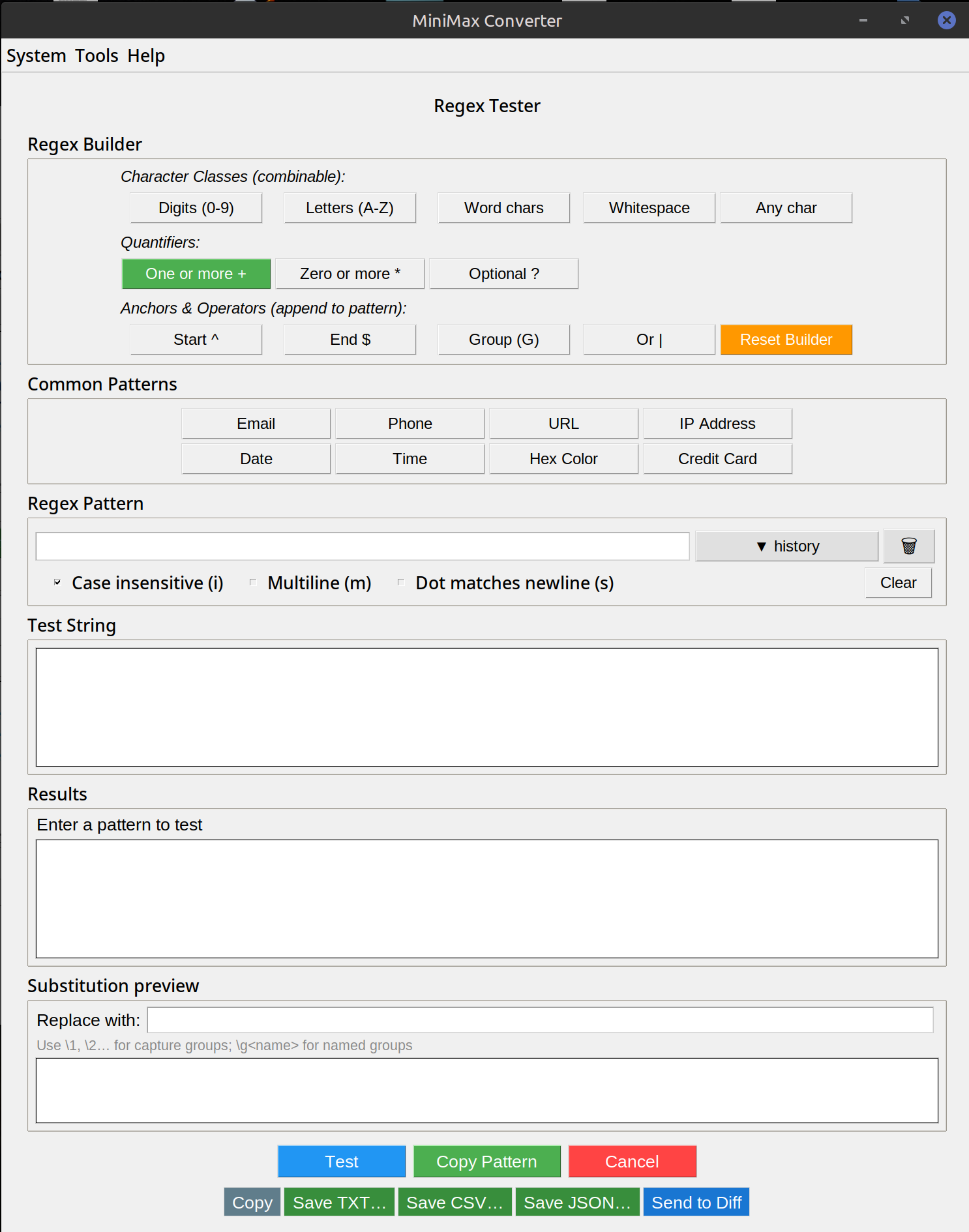
What it shows
The pattern field with live syntax validation — typos shown immediately. The text panel with all matches highlighted; hover any match to see which capture groups it includes and what they captured. A summary panel: match count, list of unique matches, list of captures by group number / name. Code-generation tab outputs equivalent code for Python, JavaScript, Java, C#, Go, PHP, Ruby.
How to use it
- Open Tools → Analyze & Inspect → Regex tester.
- Type or paste your pattern in the top field.
- Paste sample text in the larger field below.
- Watch matches highlight as you type. Adjust the pattern until matches are what you want.
- Click Copy code to get a working snippet for your language.
Tips for tricky patterns
Greedy vs lazy: .* matches as much as possible; .*? matches as little. Anchors: ^ = line start, $ = line end (multiline flag matters). Named groups: (?P<name>...) in Python, (?<name>...) in JS/PCRE — much more readable than numbered groups for complex patterns. Lookarounds: (?=...), (?!...), (?<=...), (?<!...) — match without consuming characters, great for "match X but only if followed by Y".
Questions and answers
Which regex flavor should I pick?
Whichever your target language uses. The same pattern can mean slightly different things — e.g. Python supports (?P<name>) named groups, JS uses (?<name>). The tester shows you exact behavior per flavor.
How does it compare to regex101.com?
Similar feature set, locally hosted, no upload. Useful when your sample text is sensitive (logs, PII, etc.) and you don't want to paste into a web service.
Can it explain a regex in plain English?
Yes — hover any token in the pattern and a tooltip explains what it matches. Helpful for reading someone else's regex.
What about regex performance issues (catastrophic backtracking)?
The tester catches obvious cases (a pattern that takes >1 second to evaluate flags as "potentially exponential") but isn't a full performance analyser. For production use, profile in your actual language.
Related tools
Get MiniMax Converter
Cross-platform desktop app. Linux free for non-commercial use; Windows & macOS one-time €20 license. No subscription, no telemetry, no account.