Find Duplicate Files — Hash-Based, No Adware
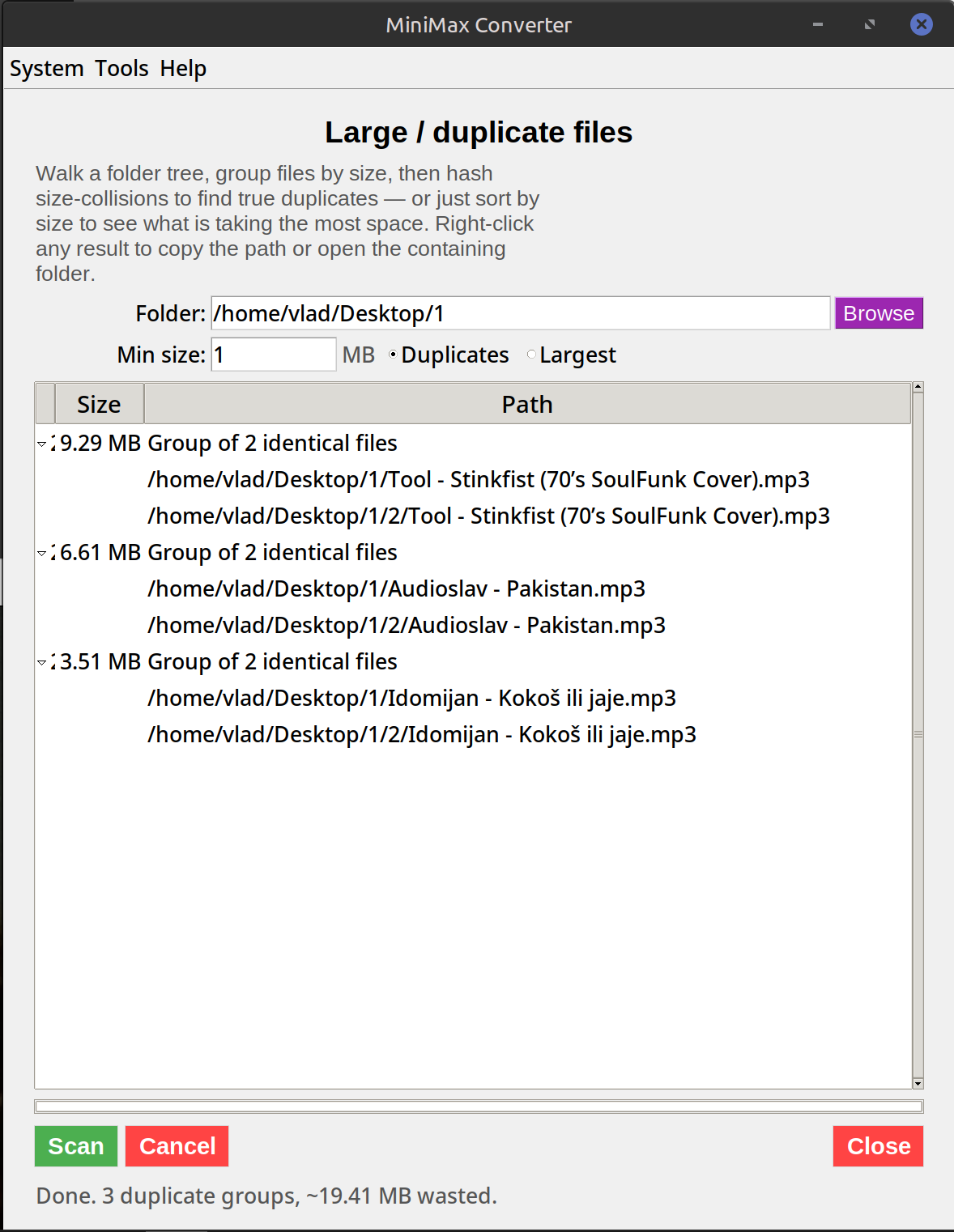
Most free duplicate-finder downloads bundle adware, hijack your browser, or sneak telemetry. MiniMax Converter's Duplicate Finder is just the feature — no bundleware, no upsell, fully offline. It hashes every file with SHA-256 and groups identical content, so renamed copies and files in different folders all get caught.
Filename vs content matching
Simple duplicate finders compare filenames. Useful for catching photo (1).jpg next to photo.jpg, useless for catching vacation_paris.jpg and IMG_8472.jpg when they're bit-for-bit the same file. Content-based hashing fixes that — SHA-256 the bytes, group by hash, anything with the same hash is the same file regardless of where it sits or what it's named.
How to use it
- Open Tools → Analyze & Inspect → Duplicate finder.
- Pick a folder (or multiple folders) to scan.
- Optionally set a minimum file size — skipping files under 10 KB is usually safe and dramatically faster.
- Click Scan. The app first compares file sizes (fast), then computes SHA-256 only on files that share a size with another file (slow only where it matters).
- Review groups. Tick the copies you want deleted; one copy in each group stays. Click Delete selected.
Performance tips
A 100 GB folder takes maybe 5 minutes on a fast SSD (limited by IO, not CPU). Setting a minimum file size (e.g. 100 KB) skips photos' thumbnails and other small files that rarely matter. Excluding folders like node_modules, .git, or Library/Caches on macOS dramatically reduces noise.
Questions and answers
Why hash-based instead of byte-by-byte comparison?
SHA-256 is essentially the same level of reliability (collision odds are astronomical) and dramatically faster — you read each file once instead of repeatedly comparing pairs.
Will it delete things?
Only what you select. The default is "review then delete" — you tick the duplicates you want removed before anything is touched.
How does it compare to dupeGuru, Czkawka, or fdupes?
Same algorithm (size pre-filter + content hash). MiniMax has a friendlier UI and is part of one app instead of being a separate install. fdupes is faster on Linux for huge trees if you're comfortable with the command line; for everyone else, this is easier.
Does it handle symbolic links and hard links?
Hard-linked files share inodes and get treated as one file (not a duplicate). Symbolic links are followed only if the target is inside the scan path.
Related tools
Get MiniMax Converter
Cross-platform desktop app. Linux free for non-commercial use; Windows & macOS one-time €20 license. No subscription, no telemetry, no account.