Discover Devices on Your Local Network
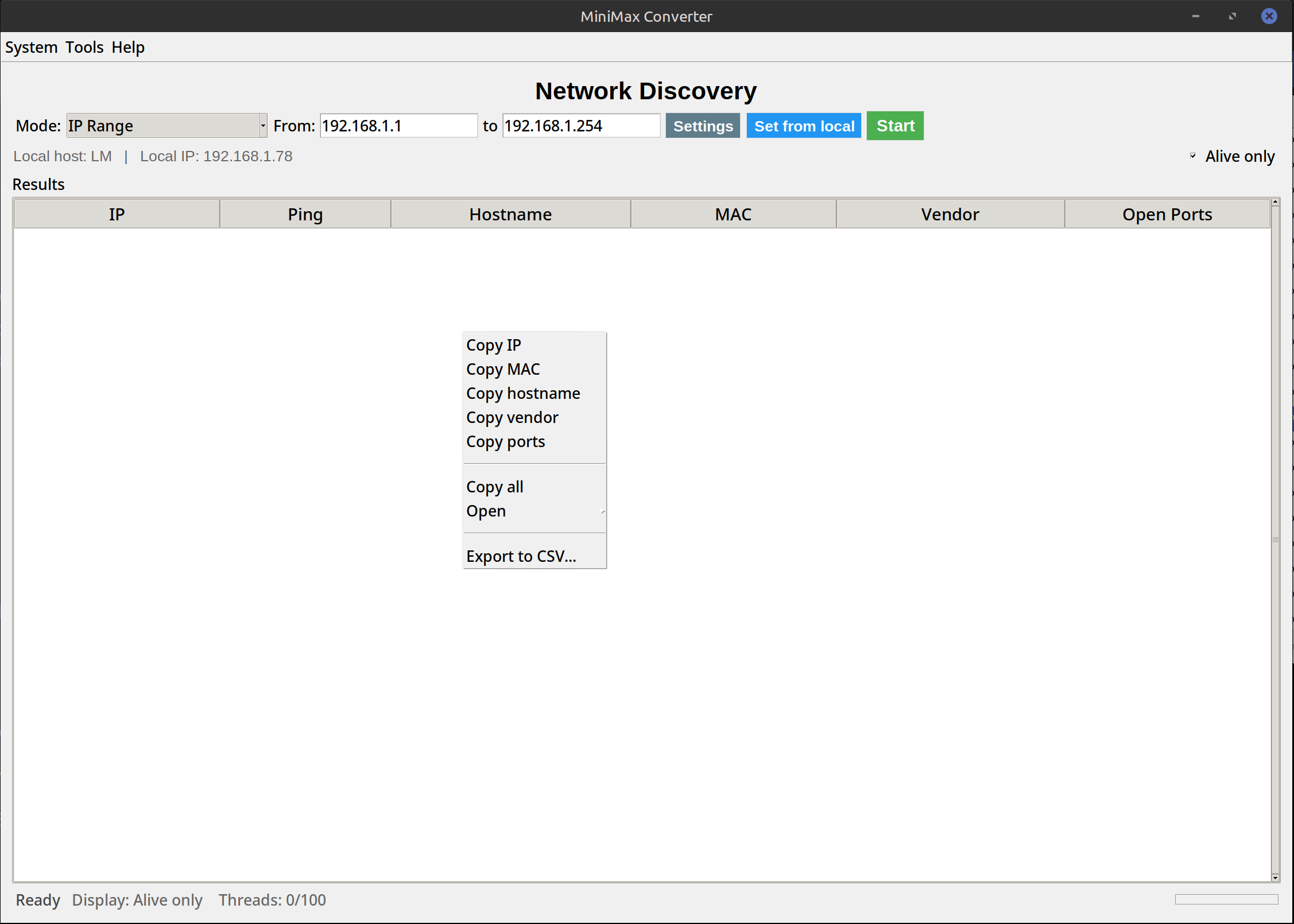
Scan your WiFi and MiniMax Converter lists every device currently connected — IP address, MAC address, hostname (if available), and the MAC vendor (Apple, Samsung, Raspberry Pi, Sonos, …). No router admin login needed, no app on the discovered devices. Useful for finding unknown devices on your network, locating a specific device's IP, or auditing what's actually online.
What it finds
Every device that responds to ARP probes on your local subnet. Phones, laptops, smart TVs, printers, smart-home hubs, IoT bulbs, routers, range extenders, NAS units, gaming consoles. For each: IPv4 address, MAC address, hostname (if it has one set), MAC vendor (lookup against the IEEE OUI database, locally cached). A typical home network has 15-40 devices — often more than people realize.
How to use it
- Open Tools → Network → Network Discovery.
- Click Scan. The default scans your machine's subnet (the /24 around your IP — e.g. 192.168.1.0-255).
- Wait 5-15 seconds for the scan to complete. Devices appear as they respond.
- Filter by vendor (e.g. "show only Apple devices") or hostname. Click any row to copy its IP / MAC.
- Save the results as CSV / JSON for documentation.
Practical uses
"What's that mystery device?" Find an unknown MAC, look up the vendor — usually clears up which gadget. Locate a device: "I need the printer's IP" — scan, find it. Audit IoT: see how many smart bulbs / sensors are phoning home. Find a freeloader: if you suspect a neighbour is on your WiFi, compare scan results to known devices. Wake-on-LAN prep: get the MAC of a target machine before saving it in the WoL tool.
Questions and answers
Does it scan IPv6?
IPv4 only by default. IPv6 link-local discovery is supported separately but is rarely needed on home networks.
Why does my smart TV not show up?
Some devices ignore ARP probes when "asleep" — the TV might be in standby. Wake it briefly and re-scan.
Is scanning my own network legal?
Yes — it's your network. Scanning networks you don't own (open WiFi, hotels, conferences) is a grey area; in most jurisdictions, passive discovery is fine but active probing of unknown networks can be a problem.
How does this compare to "Fing" or "Advanced IP Scanner"?
Same core feature. Fing is mobile, Advanced IP Scanner is Windows-only. MiniMax is cross-platform and part of the same app you use for other tools.
Related tools
Get MiniMax Converter
Cross-platform desktop app. Linux free for non-commercial use; Windows & macOS one-time €20 license. No subscription, no telemetry, no account.