DNS Lookup — A, AAAA, MX, TXT, NS, CNAME, SOA
Look up any DNS record for any domain — same as dig or nslookup from the command line, just with a friendly GUI. Choose your resolver (system default, Cloudflare 1.1.1.1, Google 8.8.8.8, custom), see raw + parsed output, save common queries. Useful for debugging email delivery (MX, SPF, DKIM, DMARC), CDN issues (CNAME), or "what does this domain resolve to from my network?"
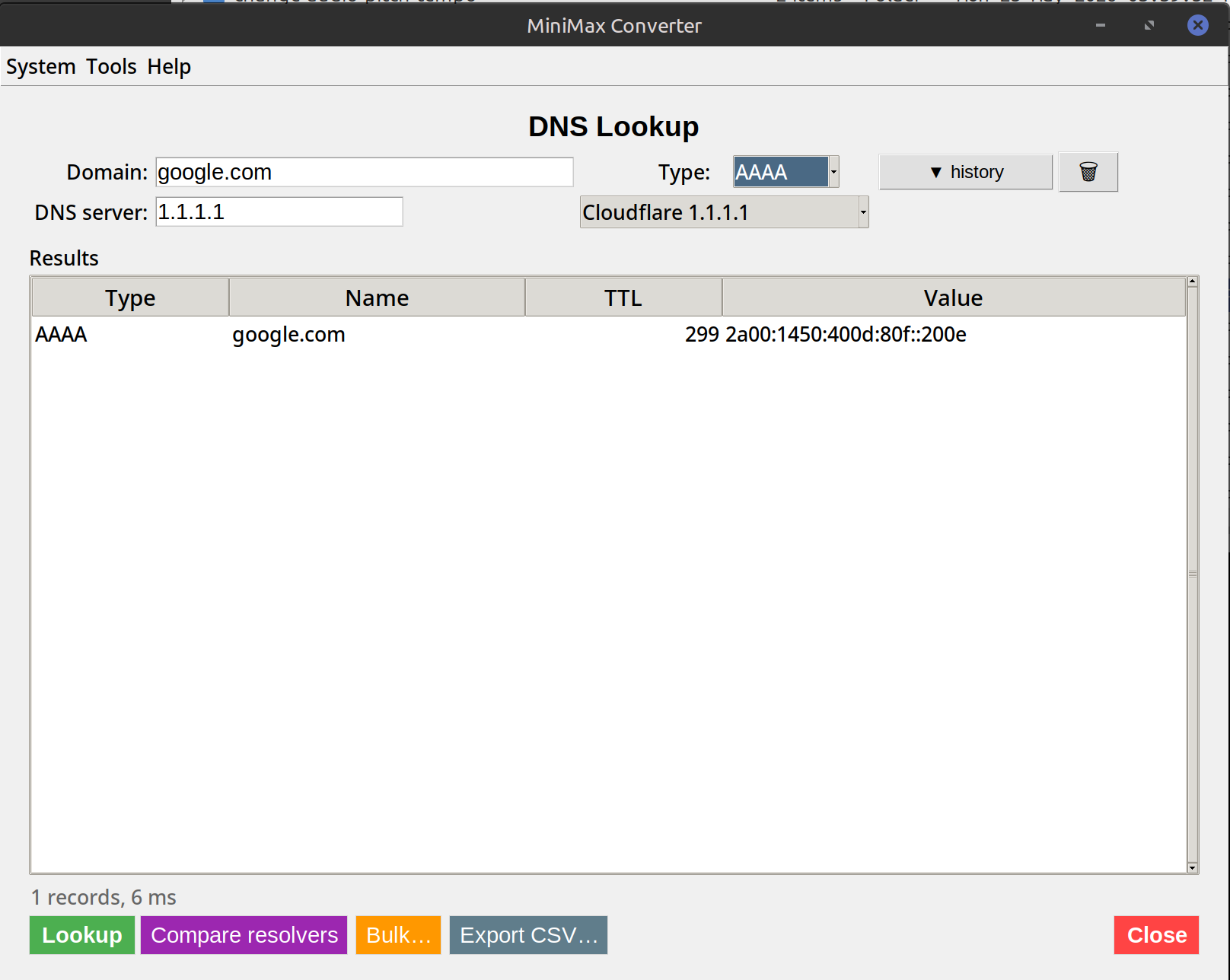
Common record types — what each is for
A: IPv4 address. AAAA: IPv6 address. MX: mail servers (with priority). TXT: arbitrary text — often SPF, DMARC, domain ownership verification. NS: authoritative nameservers for the domain. CNAME: alias to another domain (common for CDN/SaaS subdomains). SOA: zone authority metadata. CAA: which CAs are allowed to issue certs for this domain. Plus less-common: SRV, PTR, NAPTR, DS, DNSKEY (for DNSSEC).
How to use it
- Open Tools → Network → DNS Lookup.
- Enter a domain (e.g.
example.com). - Pick record type — or "All common" to query A + AAAA + MX + TXT + NS at once.
- Pick a resolver — system default uses your OS, or override with Cloudflare 1.1.1.1, Google 8.8.8.8, your ISP, or a custom IP.
- Click Lookup. Results show the parsed records + the raw response.
When you'd use a non-default resolver
Your ISP's resolver may be cached or filtered. Cloudflare 1.1.1.1 is the fastest globally and doesn't filter. Google 8.8.8.8 is reliable but logs queries. For domain debugging, try 2-3 resolvers — sometimes they disagree (cache propagation lag, geo-DNS) and that's the issue.
Questions and answers
Why does Cloudflare and Google return different IPs for some domains?
Geographic load balancing — many CDNs return IPs close to the resolver's geographic location. Cloudflare 1.1.1.1 is in your region, Google 8.8.8.8 might route to a different one. Both are correct; both serve different users.
What's the difference between dig and nslookup?
Same purpose, dig is more script-friendly and is the modern default. nslookup is older but ubiquitous. The tool produces output similar to dig.
How fresh is the data?
Live — every lookup hits the chosen resolver in real time. No caching by the tool itself (the resolver may cache).
Can I do bulk lookups?
Yes — paste one domain per line and the tool runs lookups in parallel. Export results as CSV.
Related tools
Get MiniMax Converter
Cross-platform desktop app. Linux free for non-commercial use; Windows & macOS one-time €20 license. No subscription, no telemetry, no account.