Extract Printable Strings from Binary Files
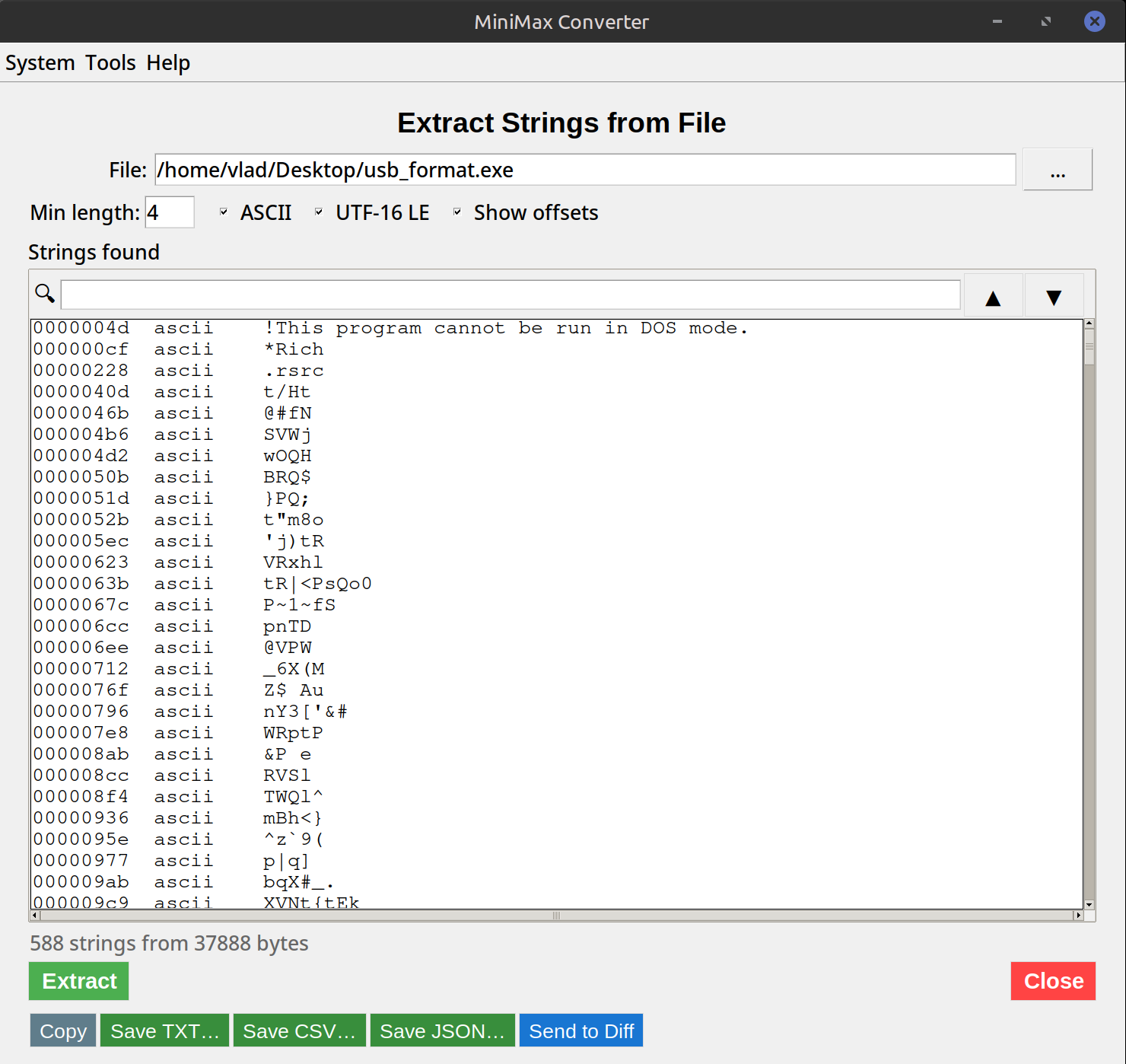
Drop any binary file — an executable, a library, a firmware dump, an unknown blob — and MiniMax Converter pulls out every printable string it finds. Same idea as the Unix strings command, just with a GUI, an adjustable minimum-length threshold, ASCII / UTF-16 / UTF-8 toggle, and instant search. Useful for malware analysis, reverse engineering, license-key forensics, or just "what does this file actually contain?"
What it finds
Anywhere in the binary where there are at least N (default 4) consecutive printable characters followed by a null terminator, the tool extracts it. That captures: error messages baked into the executable, log format strings, embedded URLs, file paths the program touches, license keys / serial numbers stored as text, library names linked against, copyright notices, version strings, hardcoded passwords (sadly common), API endpoints. Everything visible in the source code as a string literal ends up here.
How to use it
- Open Tools → Analyze & Inspect → Extract Strings.
- Drop the binary file you want to analyse.
- Set the minimum string length (default 4 — lower catches short strings but adds noise, higher misses short names but is cleaner).
- Pick encoding: ASCII (default), UTF-16 (common in Windows binaries), or UTF-8.
- Browse the results. Use the search box to filter — e.g. type "http" to find embedded URLs.
Common workflows
Identify unknown software: Look for version strings, copyright notices, library names. Find C&C servers in malware: Search the strings for URLs or IPs. License key extraction (forensic recovery only): Some applications store activation keys as plain text in the executable. Locate hardcoded credentials: Search for "password", "api_key", "token" — disturbingly often successful.
Questions and answers
How does this compare to the Unix strings command?
Same algorithm, friendlier interface. Plus UTF-16 support out of the box (important for Windows binaries — Unix strings misses these without the -e l flag).
What's the maximum file size?
No imposed limit — only constrained by your RAM. Multi-gigabyte files process in streaming mode, so memory use stays constant.
Does it modify the file?
No — read-only. The input file is never written to.
Can it run on Mac and Linux?
Yes — the tool is cross-platform. Same UI everywhere.
Related tools
Get MiniMax Converter
Cross-platform desktop app. Linux free for non-commercial use; Windows & macOS one-time €20 license. No subscription, no telemetry, no account.