Folder Size Analyzer — What's Eating Your Disk?
Your drive shows "Disk almost full" but Finder/Explorer just shows top-level folder names with no sizes. MiniMax Converter's Folder Size Analyzer walks the tree and shows you every subfolder ranked by total size. Drill into the biggest ones to find the culprit. Same idea as WinDirStat / DaisyDisk / Baobab — without the install-cruft.
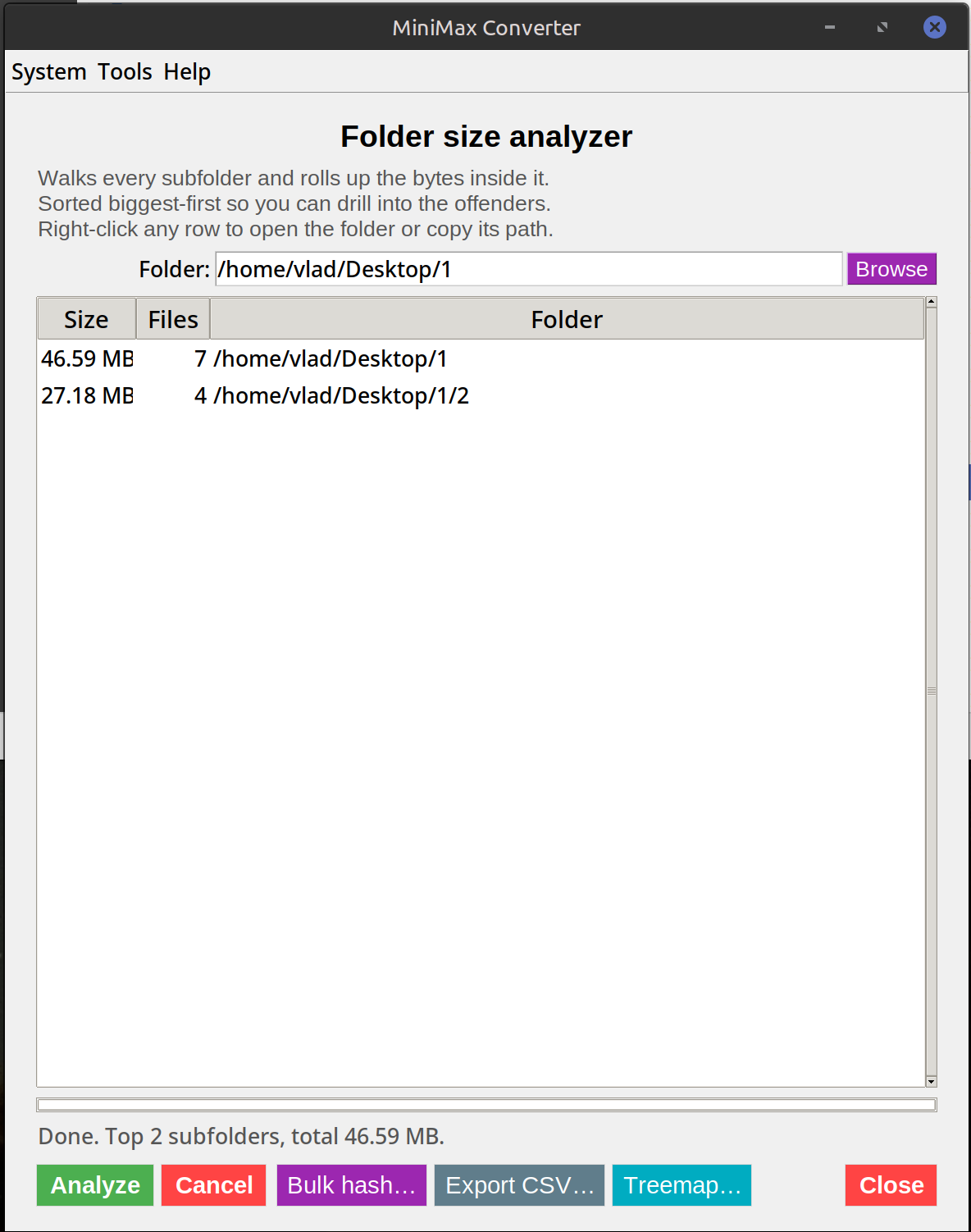
What you get
A sortable table with: Path, Total size (sum of all files in the folder + every subfolder), File count, Largest single file. Click any folder to drill in — same view, just one level deeper. Sort by any column. Filter by extension to see e.g. only video files. Export the report as CSV for a spreadsheet.
How to use it
- Open Tools → Analyze & Inspect → Folder size analyzer.
- Pick the root folder to analyse (your home directory if you're hunting space;
/var/logif you're investigating a server). - Wait for the scan (a few seconds for a normal home dir; minutes for a multi-terabyte drive).
- Sort the table by total size to find the biggest offenders. Click any row to drill in.
What you'll typically find
Linux home dirs: ~/.cache often hides gigabytes of unused cached data. macOS: ~/Library/Caches, ~/Library/Mail, ~/Library/Containers/com.apple.MobileSync (iPhone backups). Windows: %USERPROFILE%\AppData\Local, especially browser caches. Dev work everywhere: node_modules folders, .git repos with huge histories, Docker image storage, build artefacts.
Questions and answers
How does it compare to WinDirStat / DaisyDisk?
Same goal, simpler UI — table-and-drill-in instead of treemap visualisation. Cross-platform, no install (it's part of the main app).
Does it follow symlinks?
No — symlinks are recorded but not followed (so a symlink-loop won't make the scan run forever).
Can it delete things?
No — analysis only. To delete, use your file manager or the Bulk delete tool (which has confirmations + undo).
Why does the total size sometimes differ from "Properties" in Finder/Explorer?
Both count file sizes. Differences come from sparse files, hard links, or different definitions of "disk usage vs file size" (block-aligned vs raw bytes). The analyzer reports raw byte total.
Related tools
Get MiniMax Converter
Cross-platform desktop app. Linux free for non-commercial use; Windows & macOS one-time €20 license. No subscription, no telemetry, no account.