Generate a CSR — Certificate Signing Request
When you order an SSL certificate (Let's Encrypt aside), the certificate authority asks for a Certificate Signing Request — a blob that includes your domain name, organisation, and a public key. MiniMax Converter generates a CSR plus the matching private key, locally, with full control over key type (RSA 2048/4096 or ECDSA P-256/P-384), Subject Alternative Names, and organisation fields. The private key never leaves your machine.
Why generate the CSR locally
If a cert authority generates the CSR + key for you, they have a copy of your private key. That defeats the point — your private key should be yours alone. Best practice (and required by some CAs) is to generate locally, keep the key offline / encrypted, and submit only the CSR.
How to use it
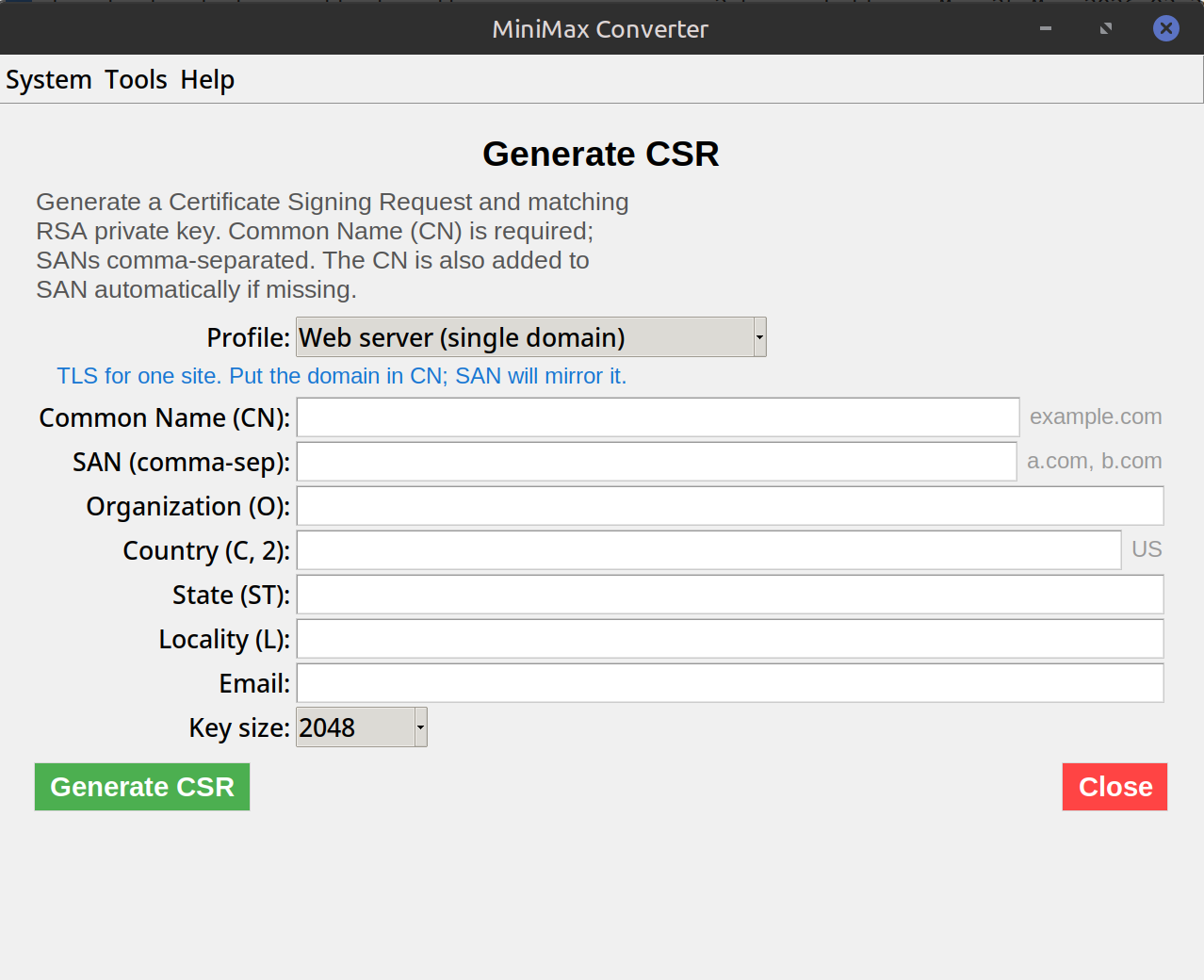
- Open Tools → Certificates → Generate → CSR.
- Fill in: Common Name (your domain, e.g.
example.com), Organisation, Country (2-letter code). - Add Subject Alternative Names for any additional domains the cert should cover (e.g.
www.example.com,api.example.com). - Pick a key type: RSA 2048 (universal compat), RSA 4096 (extra safe), or ECDSA P-256 (smaller, faster, modern).
- Click Generate. The CSR (
.csrfile) and private key (.keyfile) are saved. - Submit the .csr to your cert authority. KEEP the .key file safe — you'll need it when installing the cert.
After you get the cert back
The CA sends you a signed certificate (often .crt or .pem) plus intermediate certificates. To use the cert, you need the cert PLUS the private key you generated here. On Nginx/Apache, point the config at both files. On Windows IIS / load balancers, you may need to combine cert + key into a PFX/P12 — use the PEM + key → PFX tool inside Certificates → Convert.
Questions and answers
RSA or ECDSA?
ECDSA is more modern, smaller keys, faster handshakes. RSA is more universally compatible (some old clients don't support ECDSA). For 99% of sites, ECDSA P-256 is best. For maximum compat, RSA 2048.
Should I encrypt the private key?
For storage, yes — pick a passphrase when generating. For server use, most servers want unencrypted keys (so they don't prompt at restart). Strike a balance: encrypted backup, unencrypted on-server.
What about Let's Encrypt?
Let's Encrypt clients (certbot, acme.sh) generate CSRs automatically — you don't need this tool. This is for traditional CAs (DigiCert, Sectigo, GlobalSign).
Can I generate a CSR for an existing private key?
Yes — pick "Use existing key" and point at your .key file. Useful for renewals where you want to keep the same key pair.
Related tools
Get MiniMax Converter
Cross-platform desktop app. Linux free for non-commercial use; Windows & macOS one-time €20 license. No subscription, no telemetry, no account.