Generate a Self-Signed Certificate
Self-signed certificates are TLS certificates you sign yourself (no external Certificate Authority). Useful for local development (HTTPS on localhost), internal networks where you control the trust store, or testing TLS configurations before going live. MiniMax Converter generates self-signed certificates with full control over algorithm, validity period, and Subject Alternative Names.
Self-signed vs CA-signed — quick mental model
A CA-signed cert is trusted by every browser by default because the CA (Let's Encrypt, DigiCert, …) is in the browser's root store. A self-signed cert is trusted by NOTHING by default — every visitor sees a "Your connection is not private" warning unless they manually trust it. So self-signed is fine for: (a) you trusting your own dev machine, (b) internal networks where you can push the cert to every device's trust store, (c) automated testing. Bad for: public-facing production sites.
How to use it
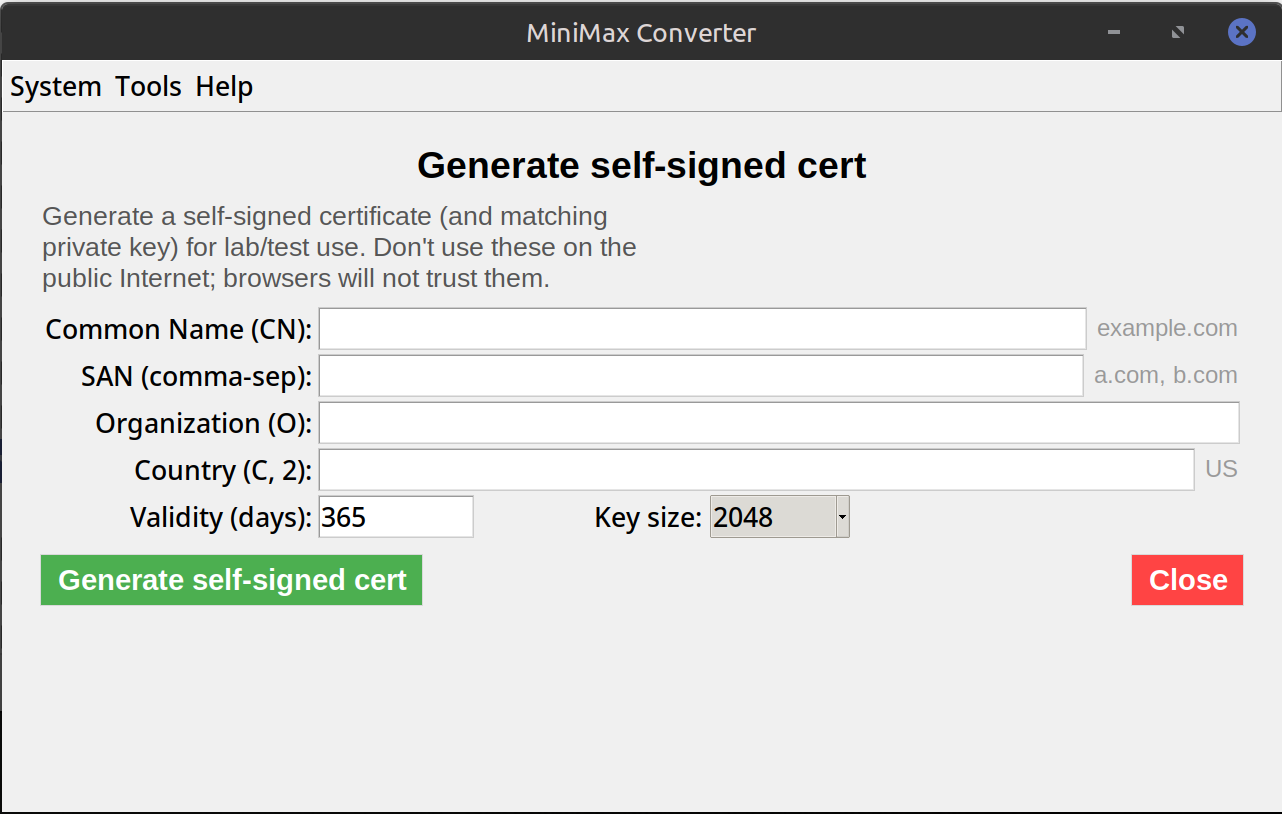
- Open Tools → Certificates → Generate → Self-signed cert.
- Fill in: Common Name (typically
localhostfor dev, or the internal hostname), Organisation, Country. - Add SANs — at least
DNS:localhostandIP:127.0.0.1for dev work; add specific hostnames or IPs as needed. - Set Validity: 365 days is typical for dev; some browsers reject certs longer than 825 days even for self-signed.
- Pick Key type: ECDSA P-256 (modern, smaller) or RSA 2048 (broader compat).
- Click Generate. You get a
.crt+ matching.key. Install them in your dev server / app.
How to trust it on your dev machine
macOS: double-click the .crt → Keychain Access → mark as "Always Trust". Linux: copy to /usr/local/share/ca-certificates/ and run update-ca-certificates. Windows: double-click → Install Certificate → Local Machine → Trusted Root Certification Authorities. Browsers: Chrome / Edge use the system store. Firefox has its own — Settings → Privacy → Certificates → Authorities.
Questions and answers
How long should the validity be?
For dev: 365-825 days. Modern browsers reject self-signed certs valid longer than 825 days as a safety mechanism — short validity forces rotation.
Why does my browser still warn even after trusting?
Common cause: the cert's CN or SAN doesn't match the hostname you're visiting. Cert says localhost but you visit 127.0.0.1 — separate SAN needed. The tool defaults to adding both.
Can I generate a wildcard self-signed cert (*.example.local)?
Yes — put DNS:*.example.local in the SAN list.
When should I use this vs Let's Encrypt?
Self-signed: localhost, internal-only networks, testing. Let's Encrypt: anything public-facing (it's free and trusted by every browser).
Related tools
Get MiniMax Converter
Cross-platform desktop app. Linux free for non-commercial use; Windows & macOS one-time €20 license. No subscription, no telemetry, no account.