Split Audio Files by Silence
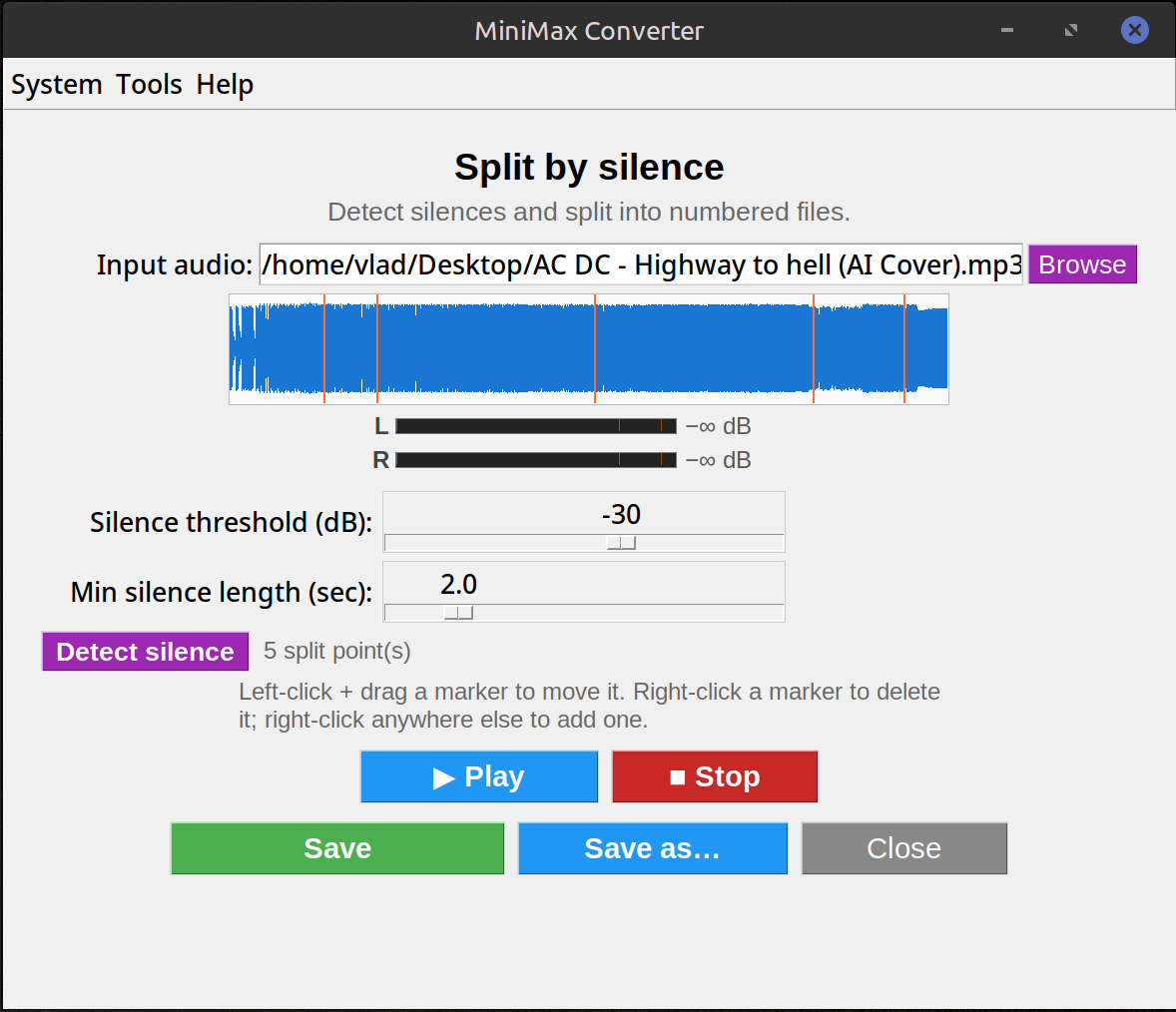
Drop a long audio file — a cassette album rip, a live concert recording, an audiobook — and MiniMax Converter detects the silent gaps, drops orange marker lines on the waveform, and splits the file into individual tracks. Fully editable: drag markers to nudge them, right-click to delete or add new ones manually.
How to split
- Drop a long audio file onto the Split by Silence screen.
- Set the silence threshold (dB) + minimum length (seconds) sliders.
- Click Detect silence. Orange vertical lines appear on the waveform at every detected break.
- Edit: left-drag a marker to nudge it, right-click a marker to delete it, right-click empty waveform to add one.
- Click Save to write splits in the source format to a chosen folder; Save as routes through the format selector for one-pick batch conversion.
Use cases
Splitting a cassette / vinyl rip into individual songs. Chaptering a podcast or audiobook. Slicing a live recording into separate songs. Extracting individual takes from a long studio session. Any time you have one big audio file that should really be N smaller files.
Tips
Threshold around -30 dB and minimum length 2 seconds works for most music. For audiobooks try -40 dB and 1 second. The visual marker editor means you do not need to get the parameters perfect — eyeball the waveform and nudge any markers the auto-detection missed or got wrong.
Questions and answers
Does it work for live concert recordings?
Yes — between-song applause is typically still quiet enough to detect. You may need to drop the threshold to -35 dB or so.
Can I preserve the original format?
Yes — Save writes each segment in the source's format with ffmpeg -c copy (no re-encoding) whenever possible.
What about CUE-sheet album files?
Different workflow — drop a .cue + .flac pair on the app and it splits by the CUE's track boundaries, preserving tags. Split by Silence is for when you don't have a CUE sheet.
Will it work on speech?
Yes — audiobook splitting, podcast chaptering, lecture recordings. Tune the silence length to be longer than a natural sentence pause but shorter than your chapter breaks.
Related tools
Get MiniMax Converter
Cross-platform desktop app. Linux free for non-commercial use; Windows & macOS one-time €20 license. No subscription, no telemetry, no account.