OTP / TOTP Authenticator — Offline 2FA Codes
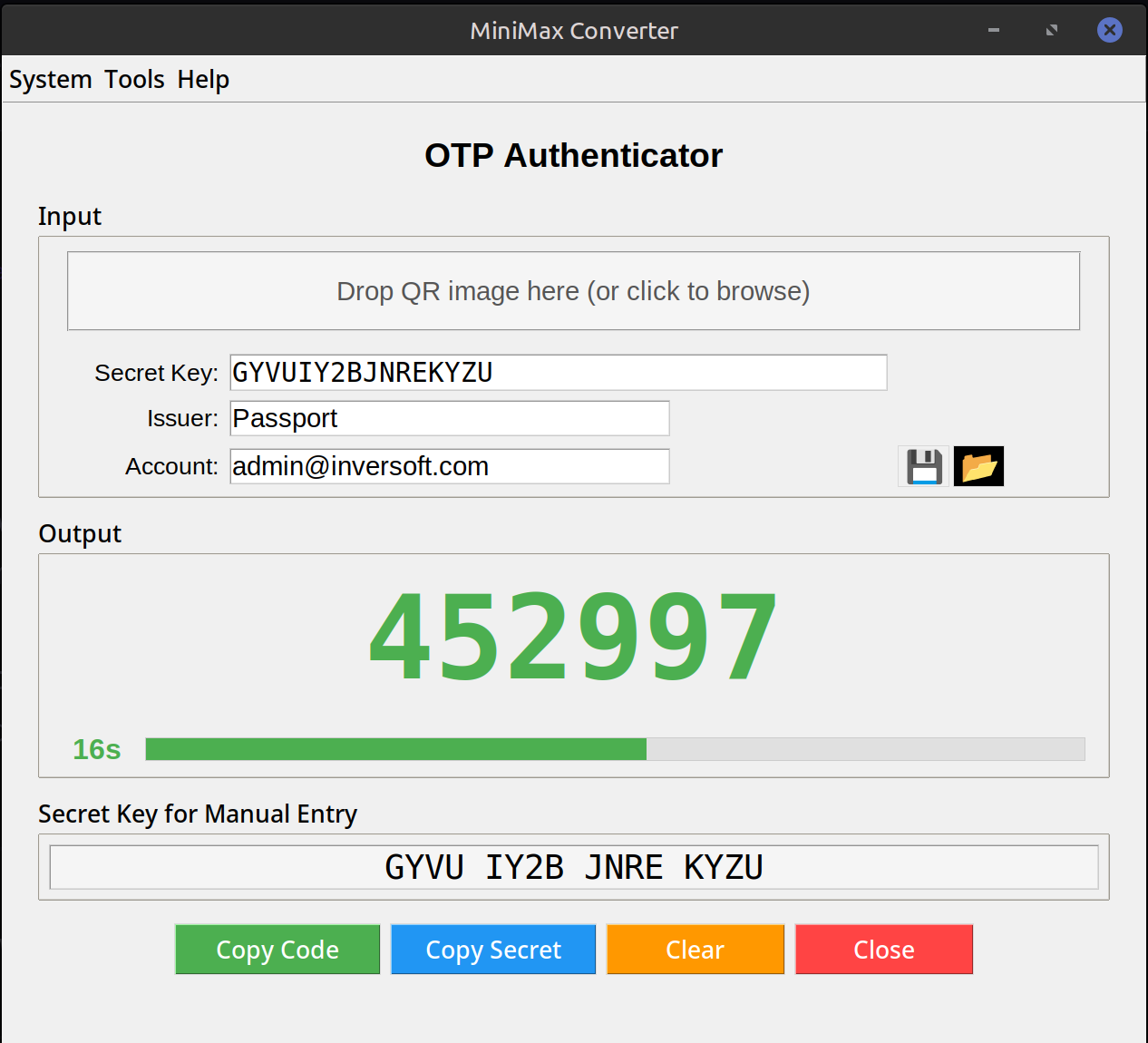
Add your TOTP secrets (the QR codes that sites show when you enable 2FA) and MiniMax Converter generates the 6-digit rolling codes — same as Google Authenticator, Authy, or 1Password. The vault is encrypted on disk with a master password; nothing leaves your machine, no cloud sync. Use it as a desktop backup to your phone's authenticator, or as your primary if you don't want to depend on a phone.
How TOTP works
When a site enables 2FA, it generates a secret (usually shown as a QR code containing a long random string). Both the site and your authenticator store the secret. Both then compute the same 6-digit code from the secret + current time, refreshing every 30 seconds. As long as you have the secret and the clocks agree (within a few seconds), the codes match.
How to add an account
- Open Tools → Security & Cryptography → OTP authenticator.
- Pick a master password (used to encrypt the vault on disk — REMEMBER IT, no recovery).
- For each site: click Add account and either: (a) scan the QR code with your camera if it's on your phone screen, (b) paste the URI from the site, or (c) enter the secret + site name manually.
- Saved accounts show their current 6-digit code with a countdown ring. Click any code to copy.
Backup strategy
Export the vault occasionally (encrypted with a different passphrase) to external storage. If your laptop dies, you can restore on a new machine. CRITICAL: also have a backup of the original QR codes / secret URIs somewhere safe (encrypted password manager, paper in a safe). Losing all copies = losing access to the accounts unless you have backup codes the site issued.
Questions and answers
Is this safer than my phone's authenticator?
Different threat model. Phone is convenient + physically separate from your computer. Desktop is more convenient when working at the computer but co-located with your other credentials. Many people use both as backup of each other.
What if my computer time drifts?
TOTP allows a few seconds of drift. If your codes start failing, sync your clock (most OSes have NTP enabled by default).
Can I import from Google Authenticator?
Google Authenticator can export to a QR code that contains multiple accounts; scan that with this tool. Or re-enrol per site (the more thorough approach).
How is the vault encrypted?
Argon2id key derivation from your master password + AES-256-GCM encryption. Same standards as 1Password, Bitwarden.
Related tools
Get MiniMax Converter
Cross-platform desktop app. Linux free for non-commercial use; Windows & macOS one-time €20 license. No subscription, no telemetry, no account.