Password Hasher — bcrypt, Argon2, scrypt, PBKDF2
When an app stores passwords, it stores hashes — never plaintext. MiniMax Converter's Password Hasher generates and verifies hashes in every modern algorithm (Argon2id, bcrypt, scrypt, PBKDF2) plus 21 legacy formats (MD5-crypt, SHA-crypt, NTLM, MySQL, PostgreSQL, Django, …) for migrations, security audits, and "what hash format is this?" investigations.
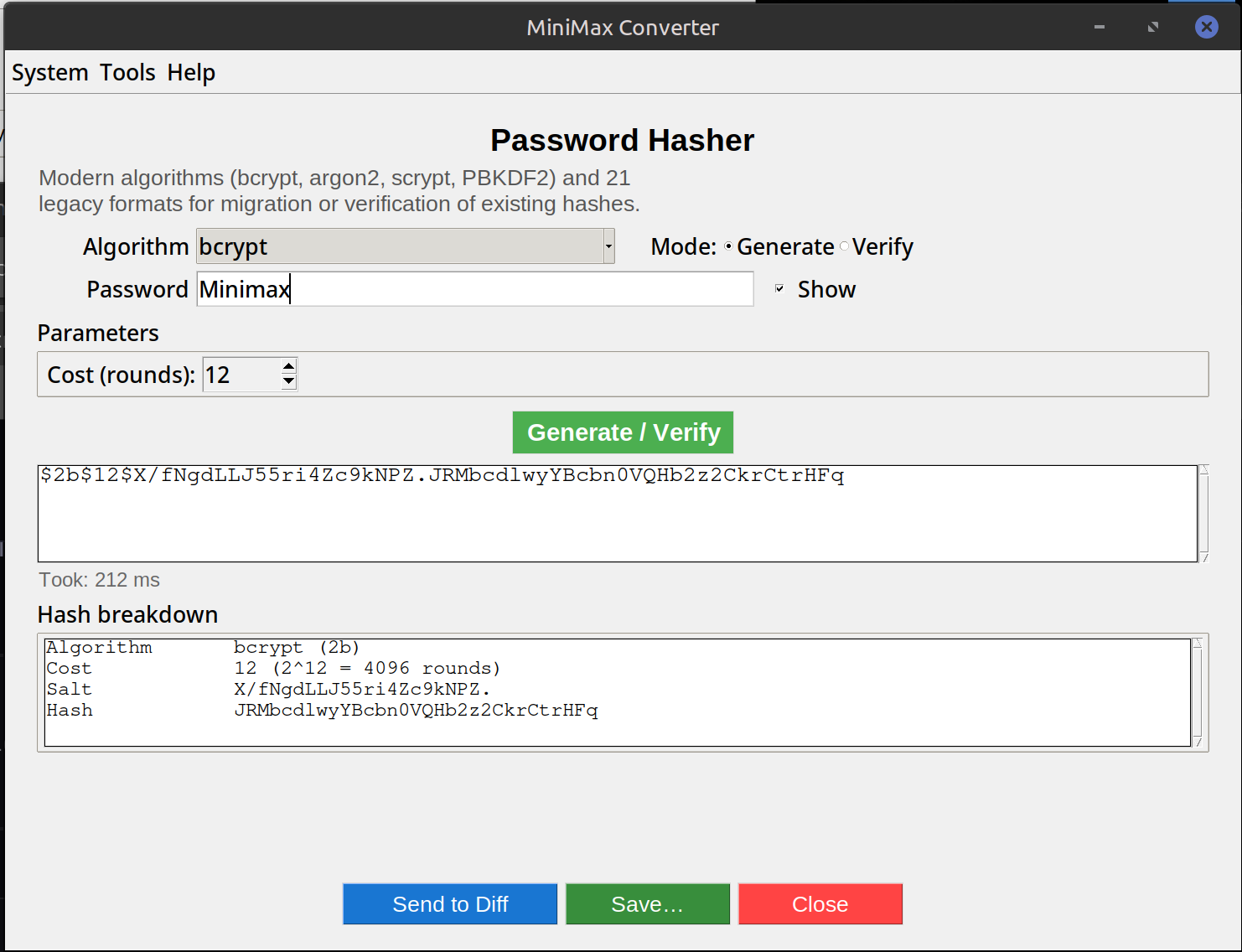
Which algorithm for new passwords
Argon2id — current best practice. Memory-hard, GPU-resistant, OWASP-recommended. Default for new systems. bcrypt — battle-tested since 1999, still strong. Use if Argon2id isn't available in your stack. scrypt — fine, less common. PBKDF2-SHA256 — universally supported (FIPS-approved), but weakest of the four against GPU brute-force.
How to use it
- Open Tools → Security & Cryptography → Password hasher.
- To hash a password: pick algorithm + parameters (sensible defaults pre-filled), type the password, get the hash.
- To verify an existing hash: paste the hash + the password to check. Green if matched.
- To identify an unknown hash format: paste the hash, the tool auto-detects (handy for migrations from old systems).
When you'd use each mode
Hash: generating a hash to seed a database, set an admin password, or test what a stored hash should look like. Verify: testing that a stored hash matches an attempt — same operation a login form does. Identify: looking at a database dump and asking "what algorithm is this in?" — useful before planning a migration to a stronger algorithm.
Questions and answers
bcrypt or Argon2id for a new project?
Argon2id if your language has a maintained library; bcrypt otherwise. Both are strong. Argon2id was specifically designed to be GPU/ASIC-resistant, bcrypt was designed before that was a concern but is still good enough for most threat models.
What are the right "cost" parameters?
For interactive logins, tune so a single hash takes ~100-500 ms on the server. Argon2id default: t=3, m=64 MB, p=4. bcrypt: cost 12. Lower = faster login but easier to brute-force; higher = secure but DoS risk.
Why are MD5 and SHA-256 not in the recommended list?
Raw MD5 / SHA-256 are NOT password hashes — they're too fast (billions of attempts per second on a GPU). Password hashing needs slow + memory-hard algorithms specifically designed to resist brute-force.
Can I batch-verify hashes from a leaked database?
The tool is for one at a time. For bulk password auditing, use hashcat (a specialised tool); this is for individual operations.
Related tools
Get MiniMax Converter
Cross-platform desktop app. Linux free for non-commercial use; Windows & macOS one-time €20 license. No subscription, no telemetry, no account.