Email Header Analyzer — Trace the Real Source
Paste the raw headers from a suspicious email and MiniMax Converter parses them into a human-readable timeline: who sent it, what server it originated from, every hop along the way, and the SPF / DKIM / DMARC verdicts. Helps you spot phishing, trace an unwanted message back to its source, or verify legitimate senders. Everything runs locally — your headers (which often contain private routing info) never leave your machine.
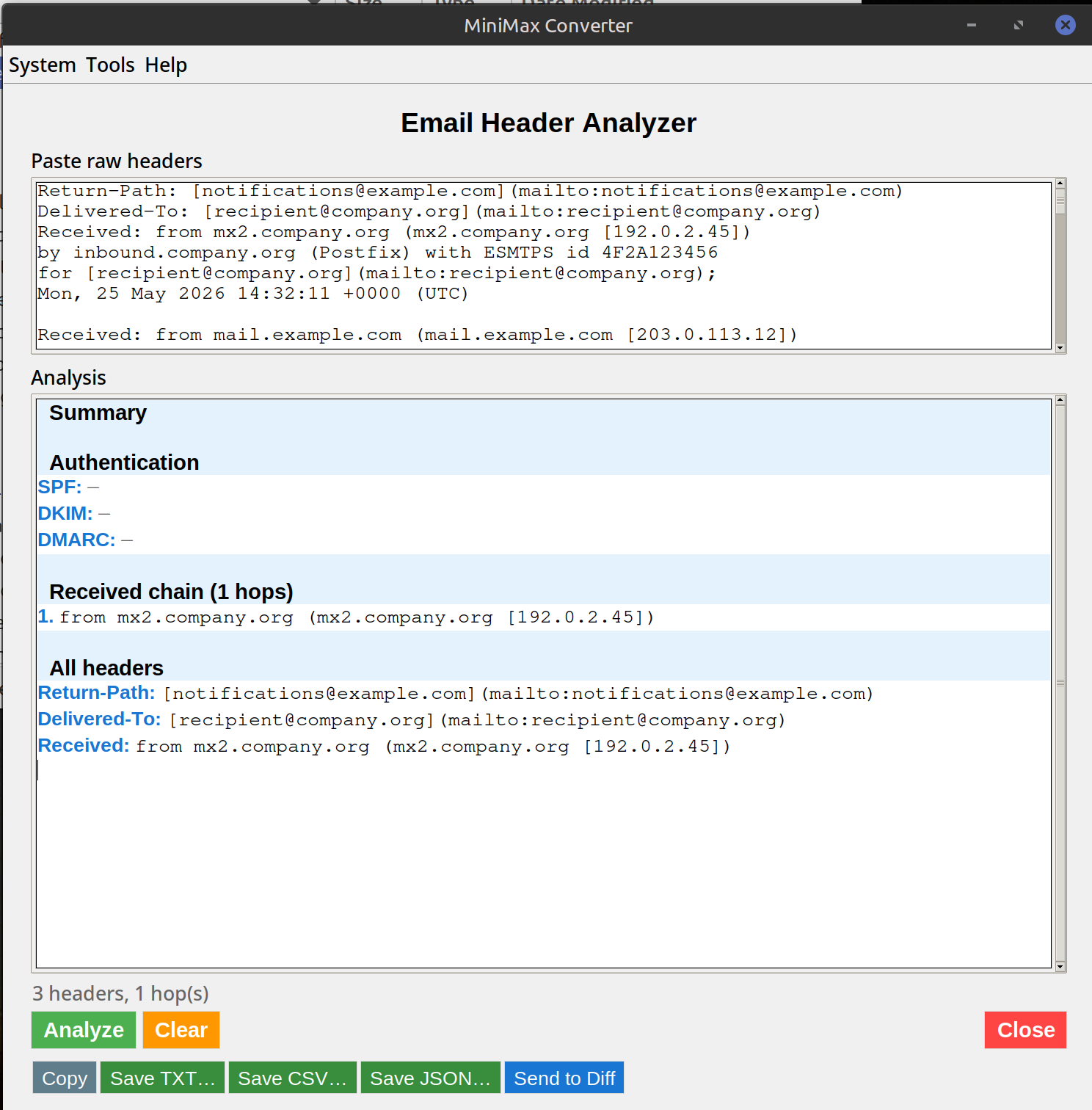
What the analysis tells you
The Received: headers form a chain — the most recent at the top, oldest at the bottom. Reading bottom-to-top traces the email's actual path from origin to your mailbox. The analyzer pulls each hop's server name + IP + timestamp into a clean list. Then it checks the authentication results: SPF (is this server authorised to send for that domain?), DKIM (is the signature valid?), DMARC (does the domain policy match?). A "pass" on all three is a strong legitimacy signal; a "fail" suggests spoofing.
How to use it
- In your email client, find View source or Show original (Gmail: ⋮ menu → "Show original"; Outlook: File → Properties → Internet headers; Apple Mail: View → Message → Raw Source).
- Copy everything from the top down to the first blank line — that's the headers.
- Open Tools → Network → Email Header Analyzer and paste.
- Click Analyse. You get the hop chain, auth results, and any anomalies flagged.
Common patterns to look for
Spoofed sender: The "From:" address says [email protected] but the lowest Received: line shows a residential IP in an unrelated country. SPF fail: Domain says only their official servers can send, but the email came from somewhere else — phishing. Time-zone gap: Hops with timestamps hours apart suggest the message sat in a queue or a transit server, sometimes indicating a compromised intermediary.
Questions and answers
Does it follow IP addresses to geographic locations?
Optionally — there's an offline GeoIP lookup (MaxMind GeoLite2 database, cached locally) that maps IPs to country/city. No external lookup, no leak.
What if SPF / DKIM / DMARC results are missing from the headers?
Some servers don't check them; in that case the analyzer flags "not present" and recommends caution. Modern mail servers (Gmail, Outlook365, Fastmail) always add these.
Can it detect a legitimate forwarded message vs a spoof?
Forwarded messages typically preserve the original headers and add new Received: lines on top. The analyzer shows the full chain so you can tell a clean forward from a fake "From:" header.
Why offline?
Email headers reveal your mail provider, IP addresses you communicate with, routing topology. Sending them to a cloud service to "analyse" hands all that over.
Related tools
Get MiniMax Converter
Cross-platform desktop app. Linux free for non-commercial use; Windows & macOS one-time €20 license. No subscription, no telemetry, no account.