WHOIS Domain Lookup
Type a domain and MiniMax Converter fetches its WHOIS record — registrar, creation date, expiry date, last update, name servers, registrant contact (when not privacy-protected). Useful for domain due diligence, sale negotiations, or "who actually owns this site?" Bulk mode for checking many domains at once.
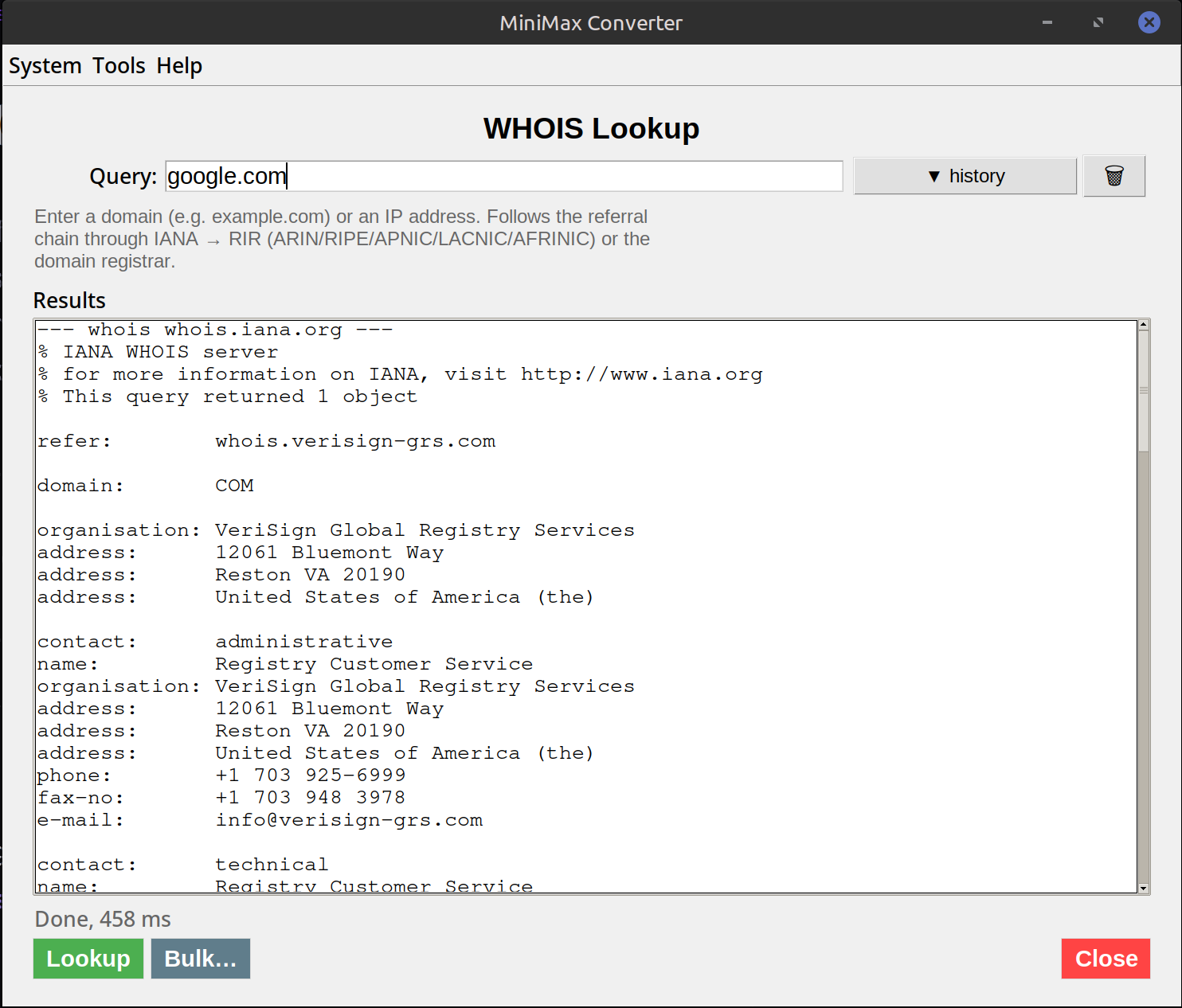
What WHOIS tells you
Registrar: which company sold the domain (GoDaddy, Namecheap, Google Domains, etc.). Created: when the domain was first registered. Expires: when registration ends — long expiry suggests serious owner. Updated: last change. Name servers: where DNS is hosted (often a hint at the underlying tech stack). Registrant: the owner — often hidden behind a privacy service (Domains by Proxy, Privacy.com, etc.) but sometimes public.
How to use it
- Open Tools → Network → WHOIS.
- Enter a domain.
- Click Lookup. The parsed WHOIS record appears (registrar, dates, name servers, contacts) plus the raw record for completeness.
- For bulk: paste one domain per line. Each is queried in parallel; results displayed in a table.
Privacy protection — what to expect
Since GDPR (2018), most TLDs heavily redact personal info. Registrant name, email, address typically appear as "REDACTED FOR PRIVACY" or "Domains By Proxy". Older domains may still have full contact info. For commercial purposes, the registrar (not the registrant) is the actionable contact — they handle ownership transfers, complaints, etc.
Questions and answers
Why is most info "REDACTED"?
GDPR + similar laws require personal data to be protected. ICANN updated WHOIS policies in 2018 to hide individual registrants by default. You see this on most modern lookups.
Can I find who owns a domain hiding behind privacy?
Officially no — the privacy provider proxies for the owner. Unofficially: historical WHOIS records (from before they enabled privacy) may show the original owner.
Does WHOIS work for all TLDs?
Most. Some country-code TLDs (.de, .nl, .br) have heavy restrictions or use their own lookup systems — the tool tries to query the right server per TLD.
Bulk lookup limits?
WHOIS servers rate-limit. The tool throttles bulk lookups to ~1/sec per server to stay under the limits.
Related tools
Get MiniMax Converter
Cross-platform desktop app. Linux free for non-commercial use; Windows & macOS one-time €20 license. No subscription, no telemetry, no account.