Batch Audio Normalize — EBU R128
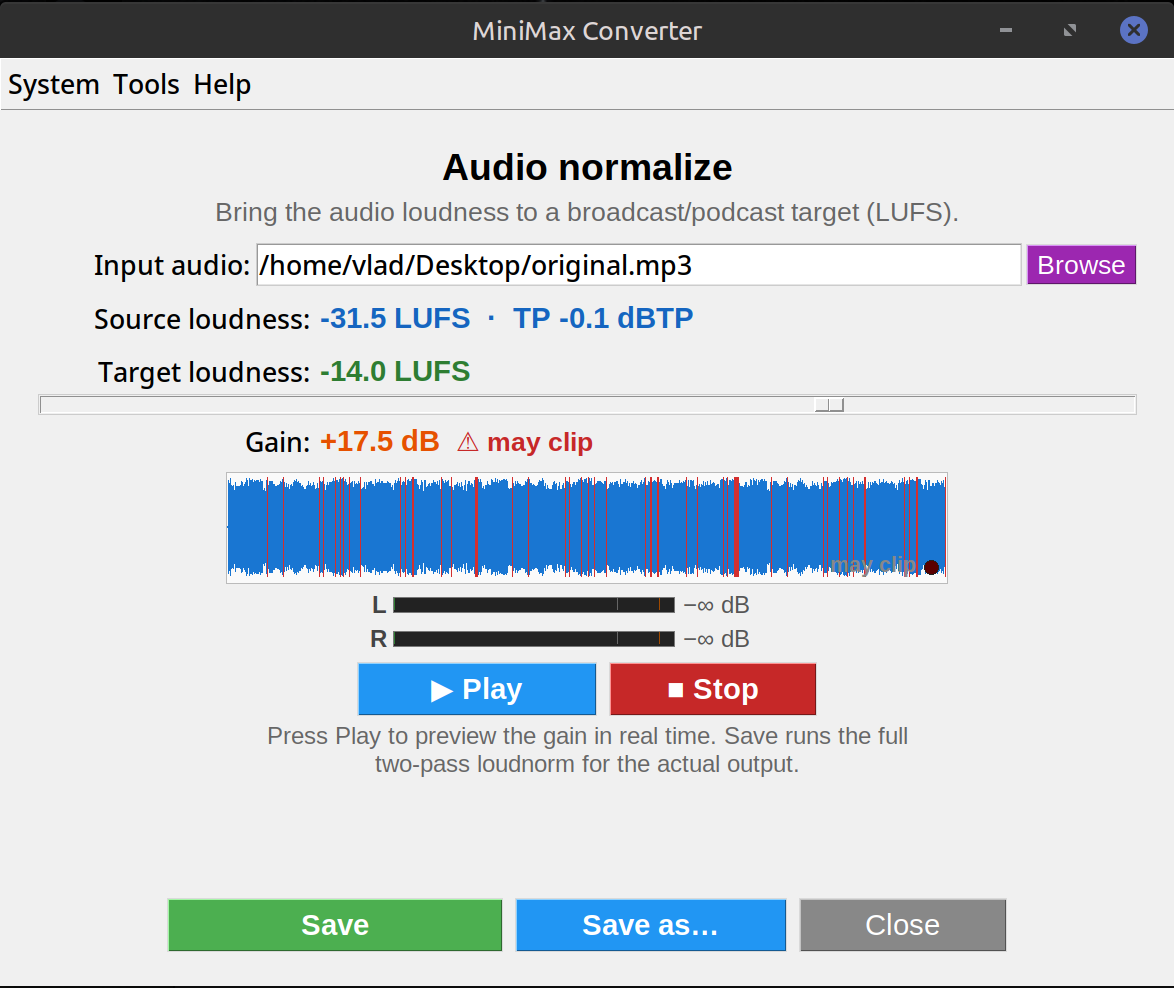
Drop a folder of audio files into MiniMax Converter's Normalize tool, pick a loudness target (Spotify -14 LUFS, Apple Music -16, YouTube -14, broadcast EBU R128 -23, or a custom number), and the app processes every file to match. Two-pass loudness analysis — accurate, not just peak-normalised. Preserves the source format, just adjusts gain.
Why LUFS, not dB peak
Peak normalisation aligns the loudest sample across files to the same level — useless because the loudest single sample says nothing about how loud the music sounds overall. LUFS (Loudness Units relative to Full Scale) measures perceived loudness across the whole track, weighted by human hearing. Two files at the same LUFS sound equally loud to a listener. Every streaming platform now uses LUFS.
How to use it
- Open Tools → Audio → Normalize.
- Drop a folder of audio files (or individual files).
- Pick a target: Spotify (-14 LUFS), Apple Music (-16 LUFS), YouTube (-14 LUFS), Broadcast EBU R128 (-23 LUFS), or Custom (any LUFS value).
- Pick true-peak limit (default -1 dBTP — prevents clipping after gain adjust).
- Click Start. The app analyses each file (pass 1), then writes the normalised output next to the source. Progress bar; cancellable.
Streaming target cheat sheet
Spotify: -14 LUFS integrated. Apple Music: -16 LUFS. YouTube: -14 LUFS. Tidal: -14 LUFS. Amazon Music: -14 LUFS. Broadcast (EBU R128): -23 LUFS. If your master is louder than the target, the streaming platform turns it down (no quality change). If quieter, the platform boosts it (might amplify noise). Mastering to the target avoids both surprises.
Questions and answers
Will normalising lower quality?
Only if the file is louder than the target — then gain is reduced (no quality loss). If quieter, gain is increased (which amplifies the noise floor — but typically still acceptable). For lossless source, normalised lossless output preserves perfect quality.
What's "two-pass" mean?
Pass 1: analyse every file to measure its integrated loudness. Pass 2: apply the required gain to hit the target. Two passes are needed because the gain depends on the measurement.
Can I normalise across an album so quiet songs stay quieter?
Yes — "album mode" measures the LOUDEST track and applies the same gain to all tracks. Preserves intra-album dynamics.
My old MP3s only have peak meters, not LUFS — can I still normalise them?
Yes — the tool measures LUFS from scratch on every input regardless of what metadata the file claims.
Related tools
Get MiniMax Converter
Cross-platform desktop app. Linux free for non-commercial use; Windows & macOS one-time €20 license. No subscription, no telemetry, no account.