Port Tester — Is This Port Open?
Type a host and a port (or range) and MiniMax Converter tells you whether the port is open, closed, or filtered. Bulk mode tests many ports in parallel. Presets for common services (SSH 22, HTTP 80, HTTPS 443, MySQL 3306, PostgreSQL 5432, Redis 6379, …). Useful for "is my service actually reachable?" debugging, firewall verification, or quick sanity checks.
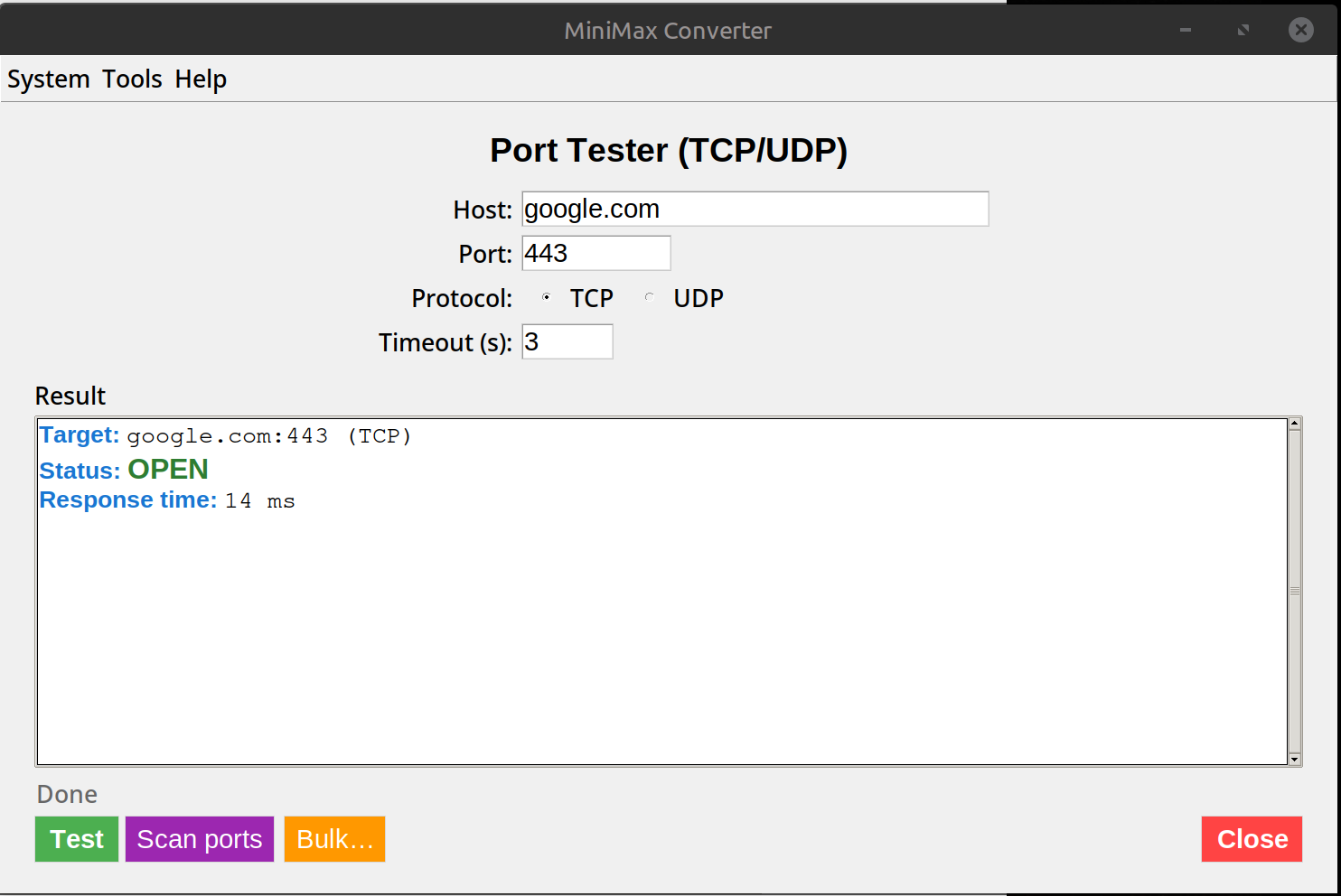
Open vs Closed vs Filtered
Open: the port is listening, the service answered. Closed: nothing is listening, the server actively refused (TCP RST). Filtered: no response at all — usually a firewall silently dropping the packet. These three states tell you very different things. "Closed" means the server is up but the service isn't; "Filtered" means a firewall is in the way.
How to use it
- Open Tools → Network → Port Tester.
- Enter host + port (or port range, e.g.
8000-8100, or a list80,443,3306,5432). - Pick protocol: TCP (default, accurate) or UDP (harder to test — no handshake to confirm).
- Click Test. Results stream in as ports respond (or time out).
- For bulk: paste a list of host:port pairs (one per line) and test them all.
When this is useful
Verifying deployed services: "Is my new Postgres reachable from the app server?" — test 5432 from the app machine. Firewall debugging: request to open port X — confirm before and after. Cloud security groups: verify only the ports you expect are open. Migrations: after a server move, verify everything is reachable again.
Questions and answers
Why is UDP testing less reliable?
UDP has no connection handshake — the absence of a response doesn't mean the port is closed; it could be open with a service that doesn't respond to unknown payloads. UDP "open" really means "no response received within timeout", which is ambiguous.
Is this the same as a port scanner like nmap?
Similar basic functionality. nmap has many more features (OS fingerprinting, service version detection, NSE scripts). For "is this port open?" — both work.
Can I be detected scanning?
Yes — most firewalls log connection attempts. Don't scan networks you don't own.
How fast is bulk mode?
Parallel testing — 100 ports take a few seconds. Limited by your network latency to the target.
Related tools
Get MiniMax Converter
Cross-platform desktop app. Linux free for non-commercial use; Windows & macOS one-time €20 license. No subscription, no telemetry, no account.